
SHOW IT OR TYPE IT
Use large text cards with adjustable size and contrast, and rotate the card to face the other person. Take turns typing in a temporary conversation.
Security & Privacy

Aegis SOS
iOS
Have your words ready when speaking is difficult. Aegis SOS helps you communicate with people nearby, while travelling or when asking for help.
Everything included
Aegis SOS comes packed with everything you need to get more done.
Aegis SOS
Use large text cards with adjustable size and contrast, and rotate the card to face the other person. Take turns typing in a temporary conversation.
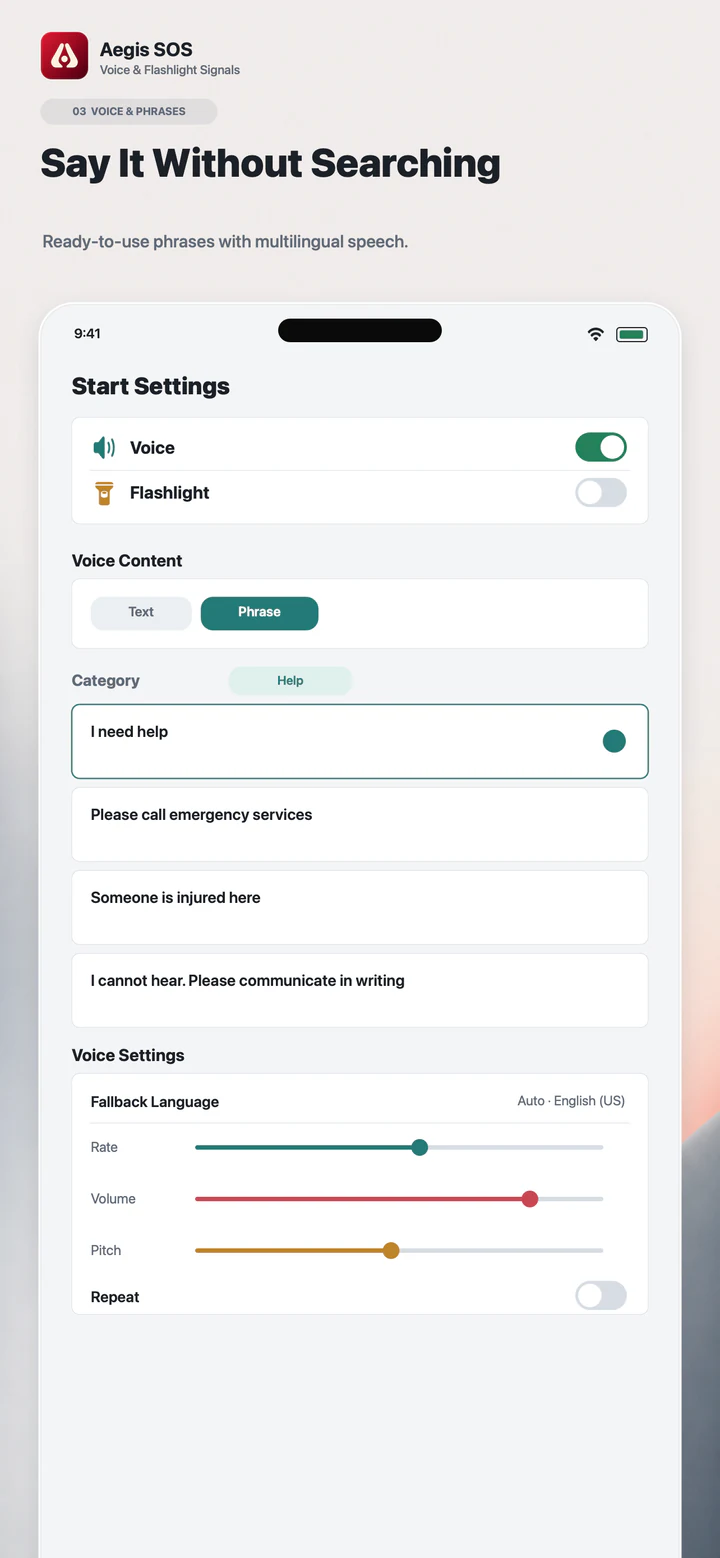
Create, edit, categorise, search and pin phrases. Import or export phrase backups. Text cards and saved phrases work offline; spoken playback needs a suitable system voice available on the device.
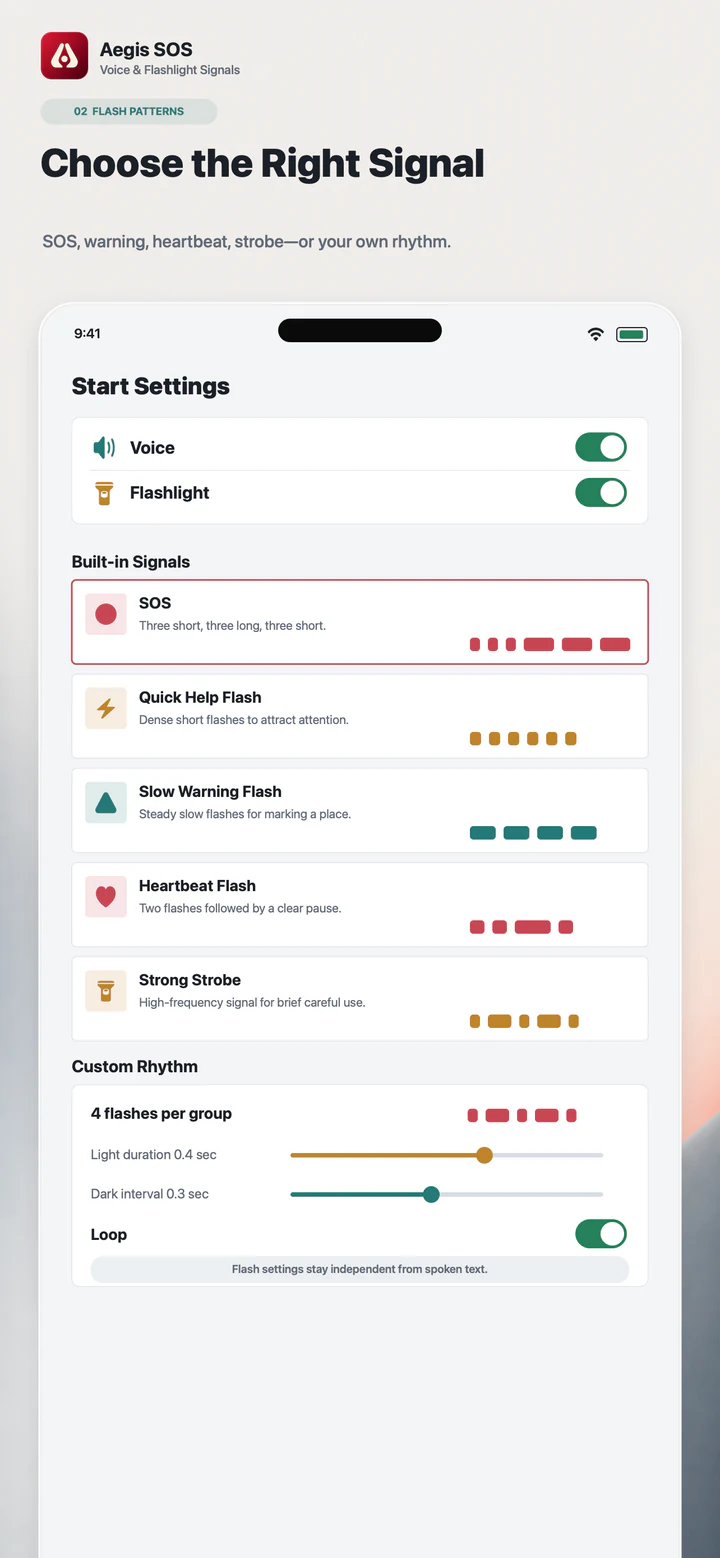
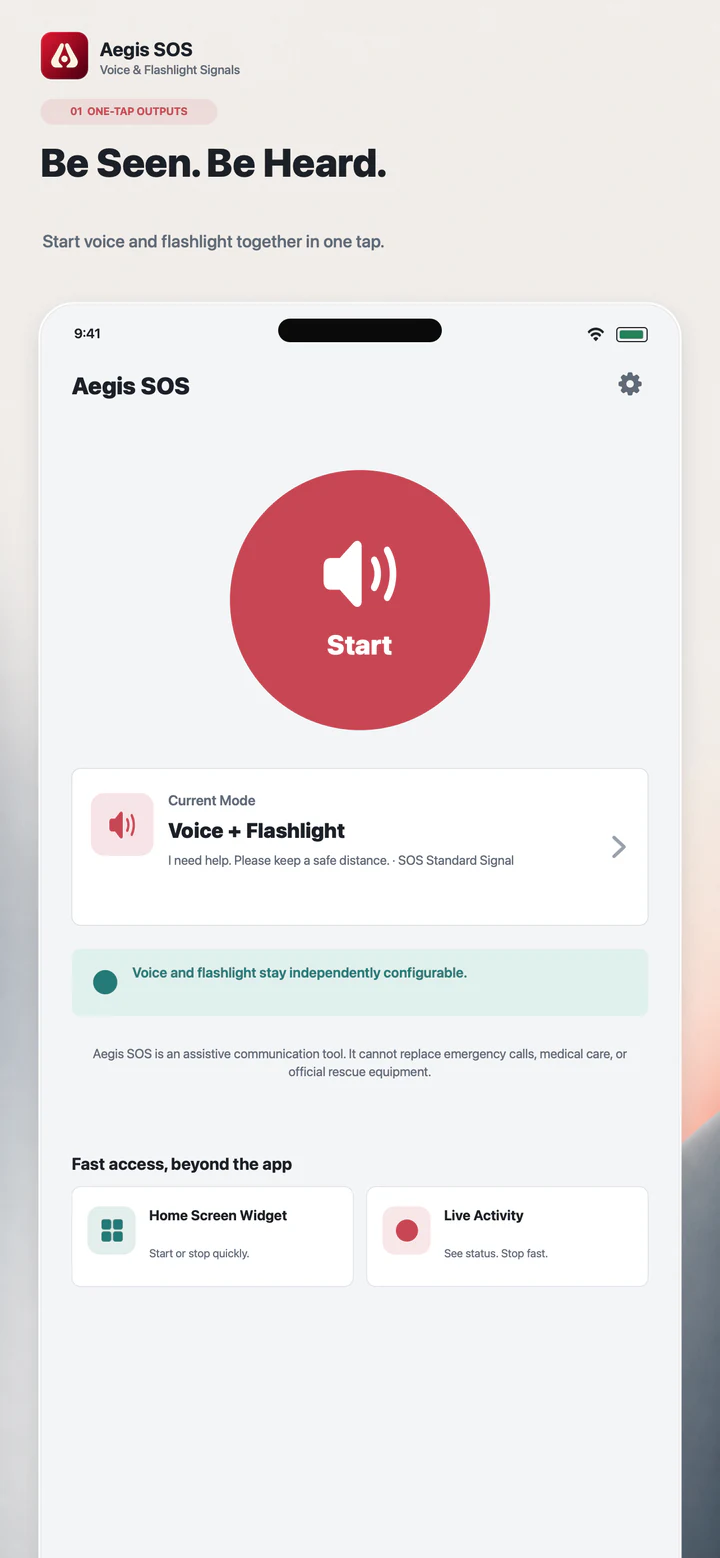
Read text with iOS voices and adjust the speaking rate and volume. Use built-in SOS light signals, steady screen light or a slow pulse. Voice and torch availability depend on the device and system settings. Flashing light may affect people sensitive to it.
Type an address or request one location fix; there is no background tracking. Save up to five contacts. Edit and preview your message before copying it, choosing a sharing app or opening the SMS composer. You confirm sending yourself; SMS requires a compatible device.
Core cards, conversations, phrases, speech, standard SOS, screen light and sharing tools are free. A one-time in-app purchase unlocks custom flash rhythms and text-to-Morse for A-Z, digits and supported symbols. Restore purchases in the app. No subscription. No account is required. Temporary conversations are not saved to history or uploaded. The interface includes 50 language and regional variants, with layouts for iPhone, iPad and supported Duo folding states. Aegis SOS is a communication aid. It does not automatically call emergency services, send messages or dispatch rescue. It cannot replace local emergency services. Speech and light can be interrupted and attention from others is not guaranteed.
Core cards, conversations, phrases, speech, standard SOS, screen light and sharing tools are free. A one-time in-app purchase unlocks custom flash rhythms and text-to-Morse for A-Z, digits and supported symbols. Restore purchases in the app. No subscription.
Discover more native apps for Mac, iPhone, and iPad.

Give your Mac desktop and saved screenshots a recognizable mark.
Learn More
Capture, annotate and share clear visual feedback on your Mac. SuperShot brings scrolling screenshots, image editing, text recognition and screen recording into one workspace for bug reports, tutorials and reference material.
Learn More
SpeedZip makes everyday archive work easier on your Mac. Pack files for sharing, look inside downloads before extracting them, and keep projects ready for handoff.
Learn More