Productivity

SuperClick

SuperClick

macOS

SuperClick for macOS

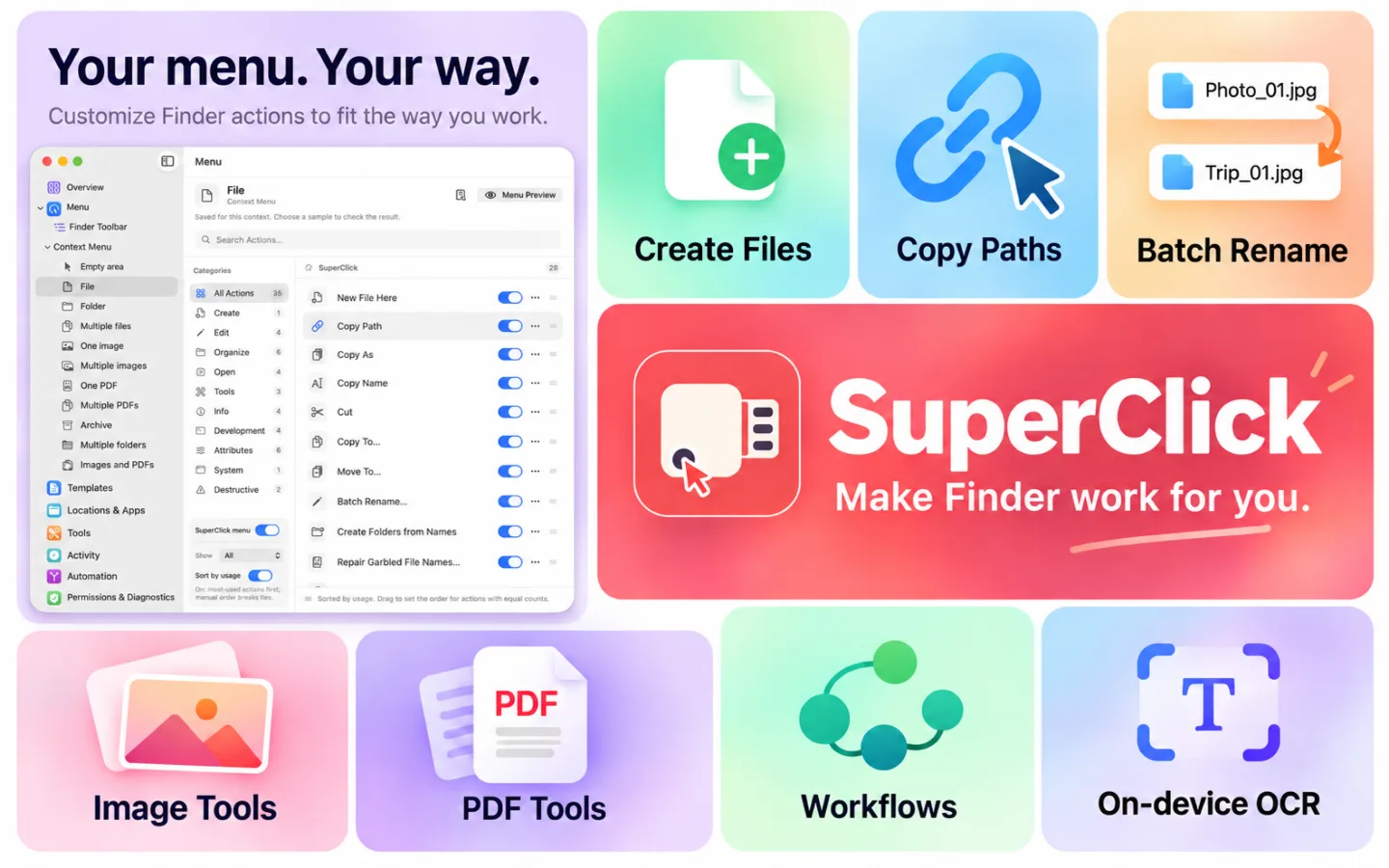
SuperClick brings customisable context menus and a toolbar menu to Finder, plus a toolbox for file tasks. Create files, copy paths, work with images and PDFs, and turn repeated steps into reusable workflows.

Available now Productivity

What’s new in macOS 1.1.1

macOS ≥ 15.0

Basic Finder actions, ZIP tools, hash verification, clipboard tools and moving files are free. Pro unlocks advanced image and PDF tools, OCR, batch renaming, duplicate detection, folder comparison and sync, file lists, text comparison and workflows. Pro is available through in-app purchase. No SuperClick account required. Image, PDF and OCR processing runs locally on your Mac. Requires macOS 15.0 or later. Enable the SuperClick extension in System Settings to use Finder actions. Available actions depend on the selected files; macOS may limit extension menus in managed locations such as iCloud Drive.

SuperClick · macos

Everything included

Key Features

SuperClick comes packed with everything you need to get more done.

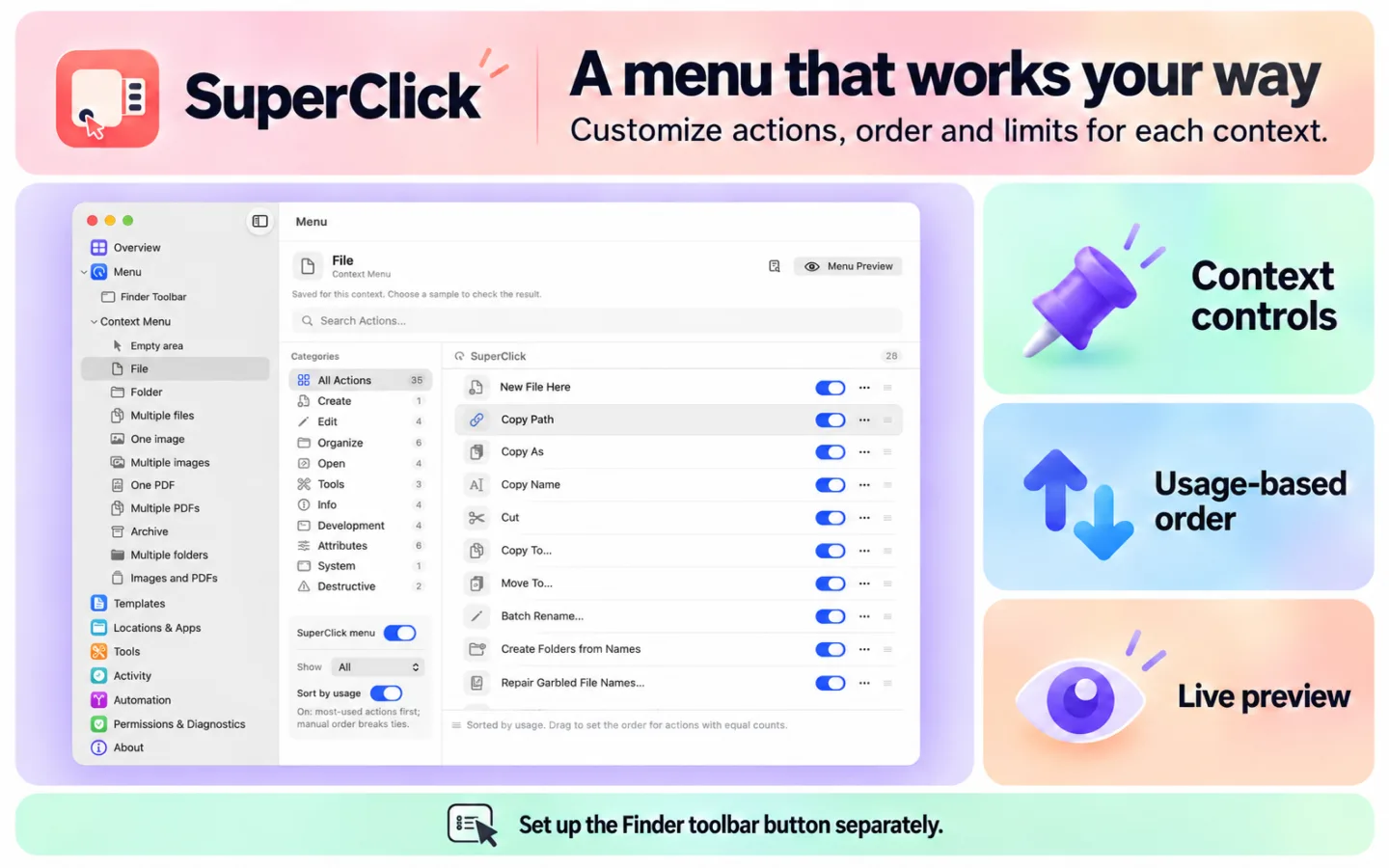
  1. Configure actions for files, folders, images, PDFs, multiple selections and empty areas, with a menu preview for each context.
  2. Choose the number of visible actions, sort manually or by usage, and pin up to 6 actions at the top level of Finder’s context menu.
  3. Set up the Finder toolbar menu separately. Keep favourite folders and apps within reach.
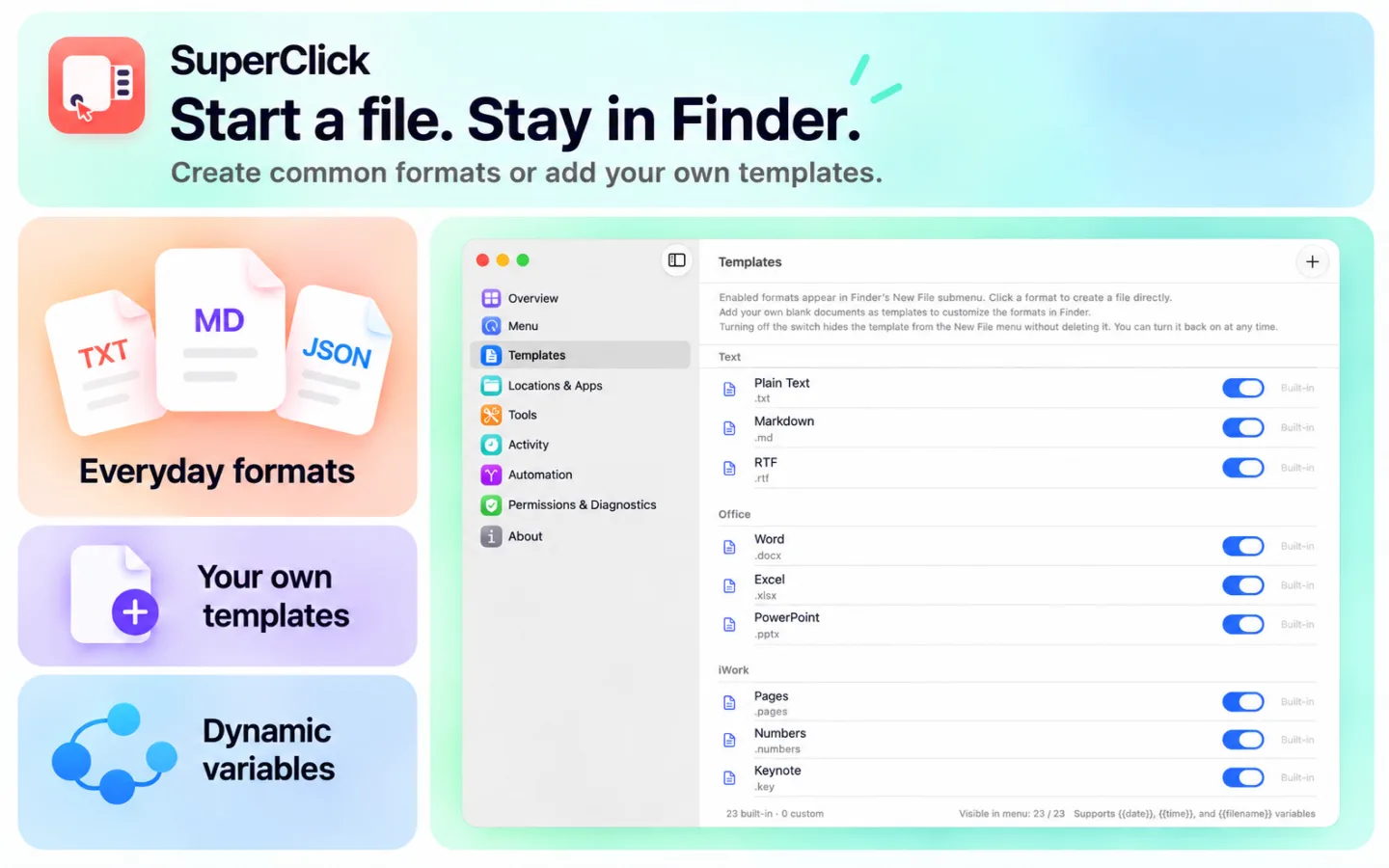
  4. Create files from built-in text, Markdown and office document templates, or add your own.
  5. Copy file names, paths or shell-escaped paths. Save clipboard text and images as files.
  6. Copy or move files to a chosen destination and open a terminal or an app of your choice.
  7. Create unencrypted ZIP archives from files in different locations. Preview archive contents before extracting.
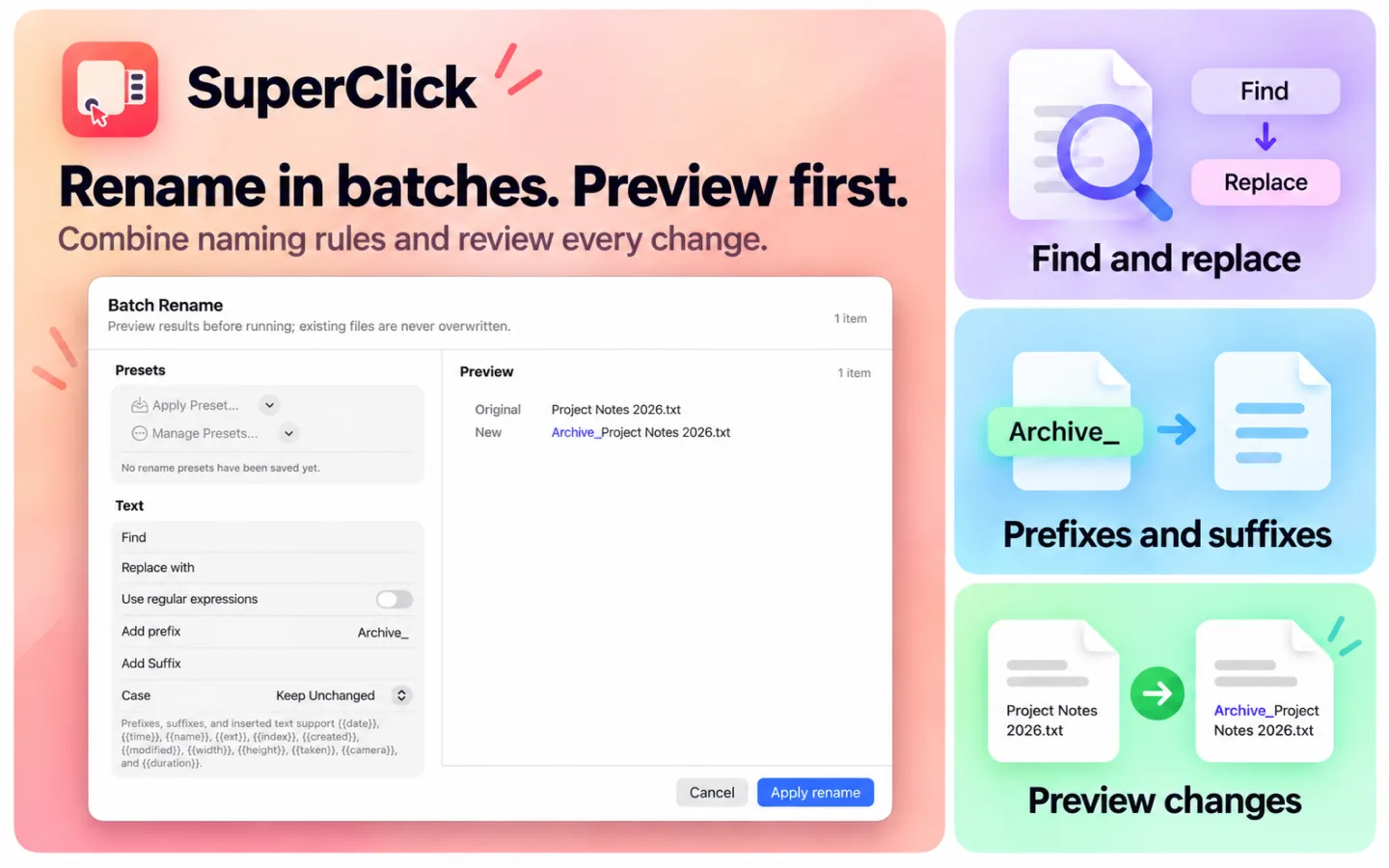
  8. Calculate and verify file hashes. Preview batch renaming before applying changes.
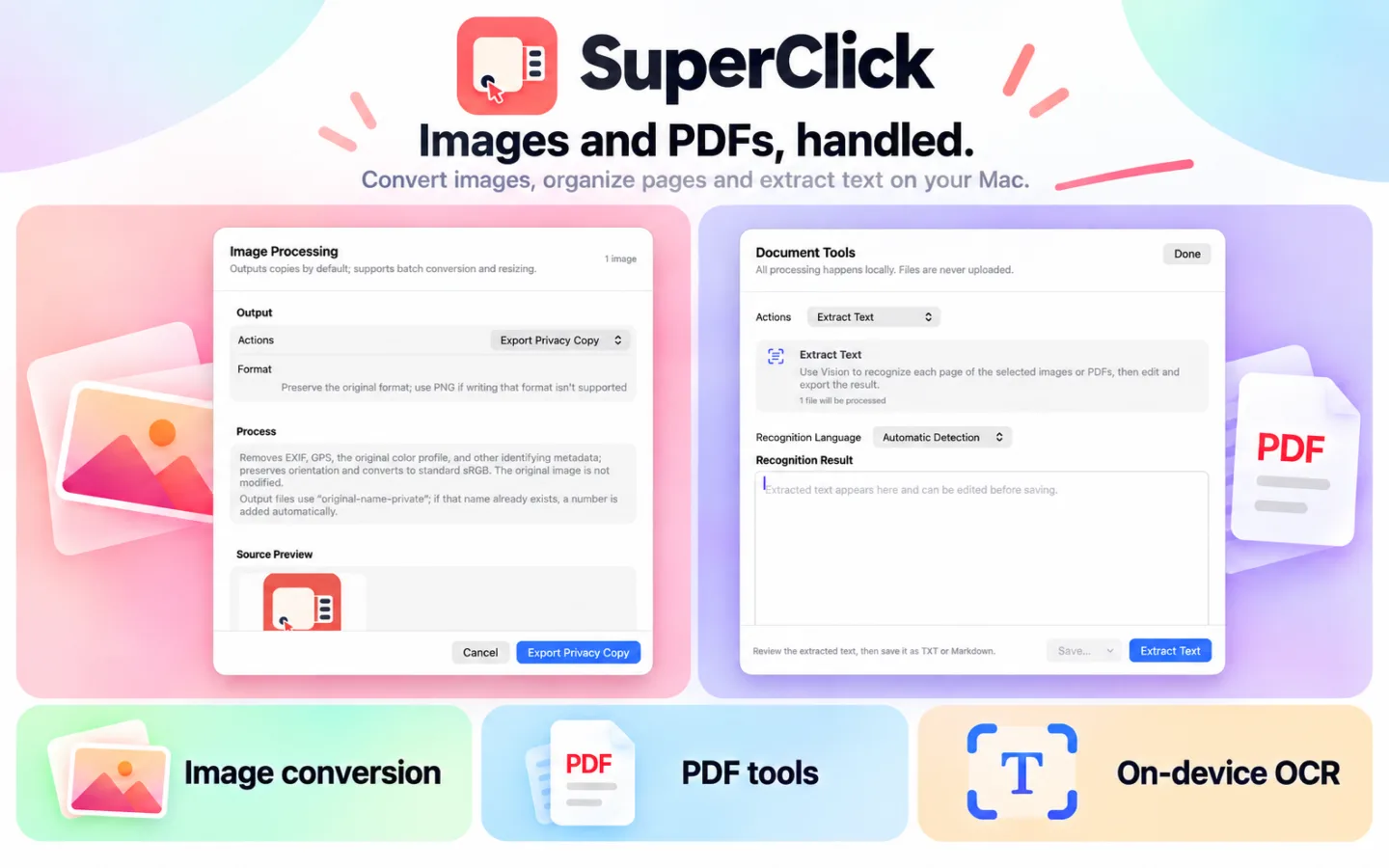
  9. Convert, compress, resize, crop, rotate and flip images. Add watermarks, combine images or remove backgrounds.
  10. Export copies with EXIF, GPS and other image metadata removed to protect your privacy.
  11. Merge, split, rotate and reorder PDF pages, turn images into PDFs, add watermarks and compress documents.
  12. Export selected PDF pages as PNG or JPEG, choose the resolution, and use transparent backgrounds for PNG.
  13. Extract text from images and PDFs with OCR, review the result and save it as TXT or Markdown.
  14. Compare two text files or pasted text, jump between differences and export a report without changing the originals.
  15. Export a folder's file list as CSV or JSON, with metadata and optional SHA-256 hashes.
  16. Find duplicate files and review which copies to keep. Compare folders in different locations and preview a one-way sync.
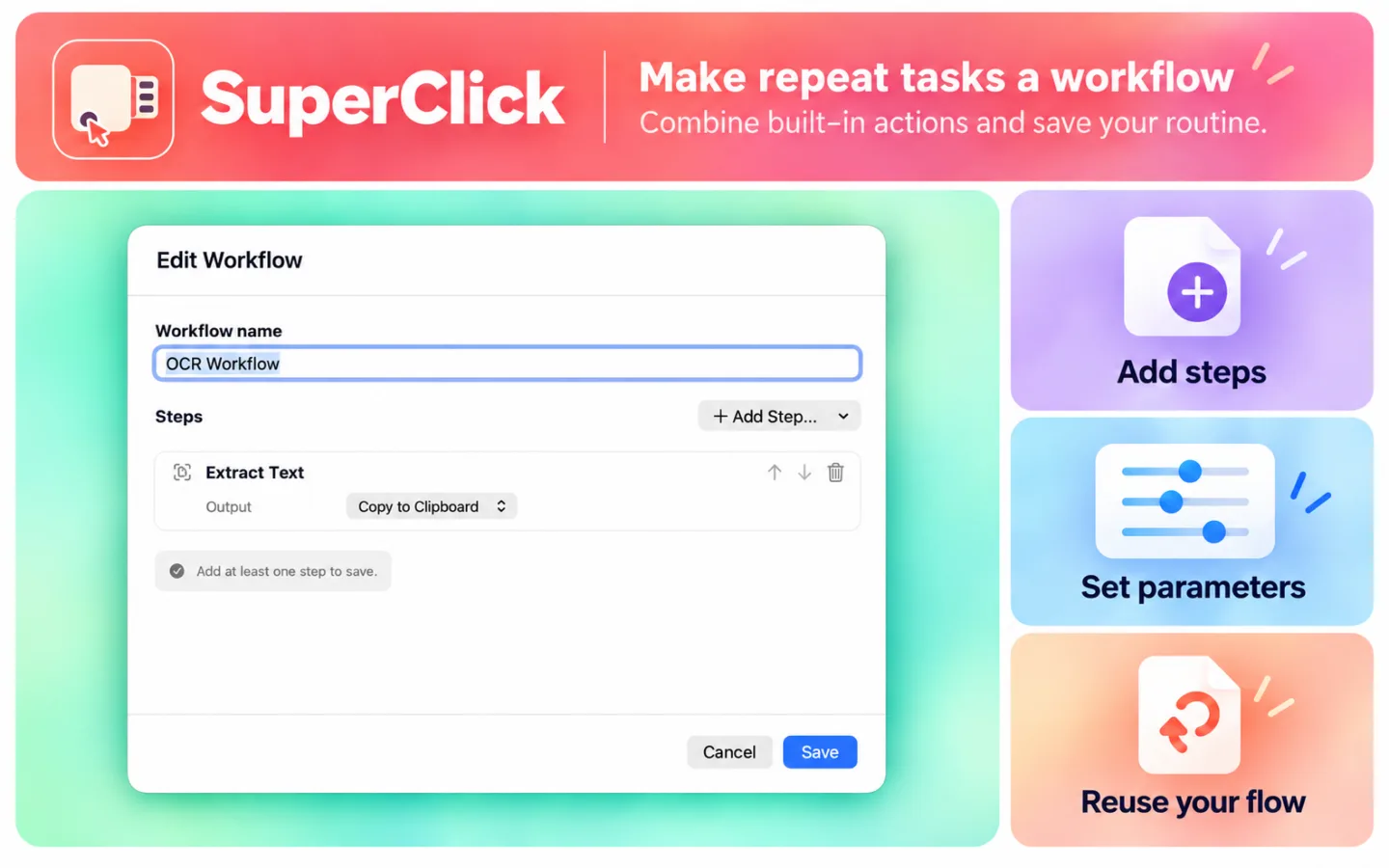
  17. Combine supported built-in actions into reusable workflows with configurable parameters. View task progress and results in Activity.
  18. Basic Finder actions, ZIP tools, hash verification, clipboard tools and moving files are free. Pro unlocks advanced image and PDF tools, OCR, batch renaming, duplicate detection, folder comparison and sync, file lists, text comparison and workflows. Pro is available through in-app purchase.

SuperClick

Details

MAKE FINDER YOUR OWN

MAKE FINDER YOUR OWN

  • Configure actions for files, folders, images, PDFs, multiple selections and empty areas, with a menu preview for each context.
  • Choose the number of visible actions, sort manually or by usage, and pin up to 6 actions at the top level of Finder’s context menu.
  • Set up the Finder toolbar menu separately. Keep favourite folders and apps within reach.
CREATE AND ORGANISECREATE AND ORGANISE

CREATE AND ORGANISE

  • Create files from built-in text, Markdown and office document templates, or add your own.
  • Copy file names, paths or shell-escaped paths. Save clipboard text and images as files.
  • Copy or move files to a chosen destination and open a terminal or an app of your choice.
  • Create unencrypted ZIP archives from files in different locations. Preview archive contents before extracting.
  • Calculate and verify file hashes. Preview batch renaming before applying changes.
IMAGES, PDFs AND TEXT RECOGNITION

IMAGES, PDFs AND TEXT RECOGNITION

  • Convert, compress, resize, crop, rotate and flip images. Add watermarks, combine images or remove backgrounds.
  • Export copies with EXIF, GPS and other image metadata removed to protect your privacy.
  • Merge, split, rotate and reorder PDF pages, turn images into PDFs, add watermarks and compress documents.
  • Export selected PDF pages as PNG or JPEG, choose the resolution, and use transparent backgrounds for PNG.
  • Extract text from images and PDFs with OCR, review the result and save it as TXT or Markdown.
COMPARE, REVIEW AND REUSE

COMPARE, REVIEW AND REUSE

  • Compare two text files or pasted text, jump between differences and export a report without changing the originals.
  • Export a folder's file list as CSV or JSON, with metadata and optional SHA-256 hashes.
  • Find duplicate files and review which copies to keep. Compare folders in different locations and preview a one-way sync.
  • Combine supported built-in actions into reusable workflows with configurable parameters. View task progress and results in Activity.

FREE AND PRO

Basic Finder actions, ZIP tools, hash verification, clipboard tools and moving files are free. Pro unlocks advanced image and PDF tools, OCR, batch renaming, duplicate detection, folder comparison and sync, file lists, text comparison and workflows. Pro is available through in-app purchase.

Pricing

Free with SuperClick Pro

Download for free. SuperClick Pro unlocks advanced features with a monthly or yearly subscription, or a one-time purchase.

Monthly subscription

USD 0.99

per month

Yearly subscription

USD 6.99

per year

One-time purchase

USD 9.99

one time

Ready to get SuperClick?

Choose your device and view the app on the App Store.