
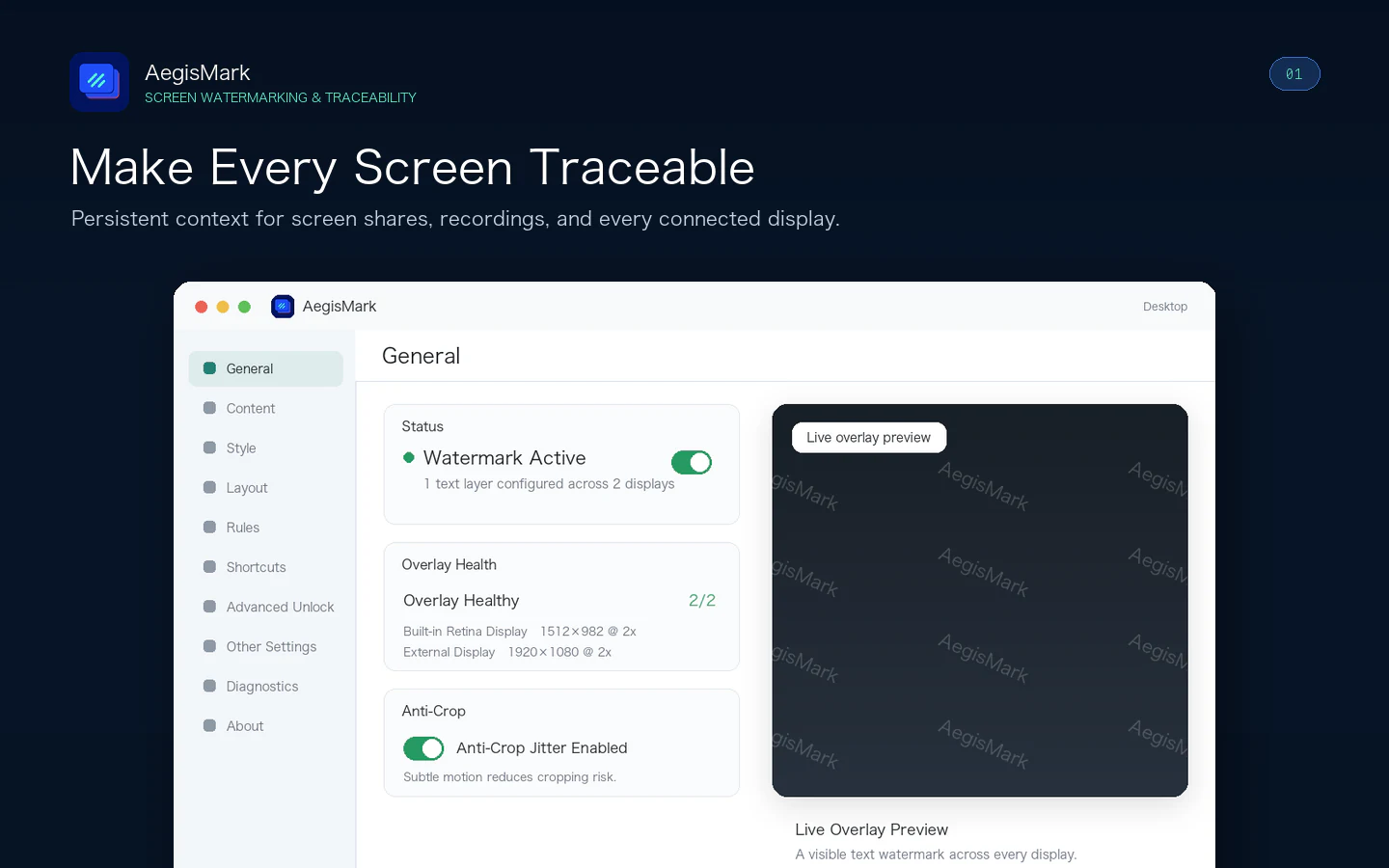
Make Every Screen Traceable
Add persistent source context across your Mac desktop, screen shares, recordings, and every connected display. Manage watermark visibility per display while keeping the active protection state clear at a glance.
Security & Privacy

AegisMark
macOS
Combine text, real-time metadata, QR codes, and images, then control exactly when and where each watermark layer appears.
Everything included
AegisMark comes packed with everything you need to get more done.
AegisMark
Add persistent source context across your Mac desktop, screen shares, recordings, and every connected display. Manage watermark visibility per display while keeping the active protection state clear at a glance.
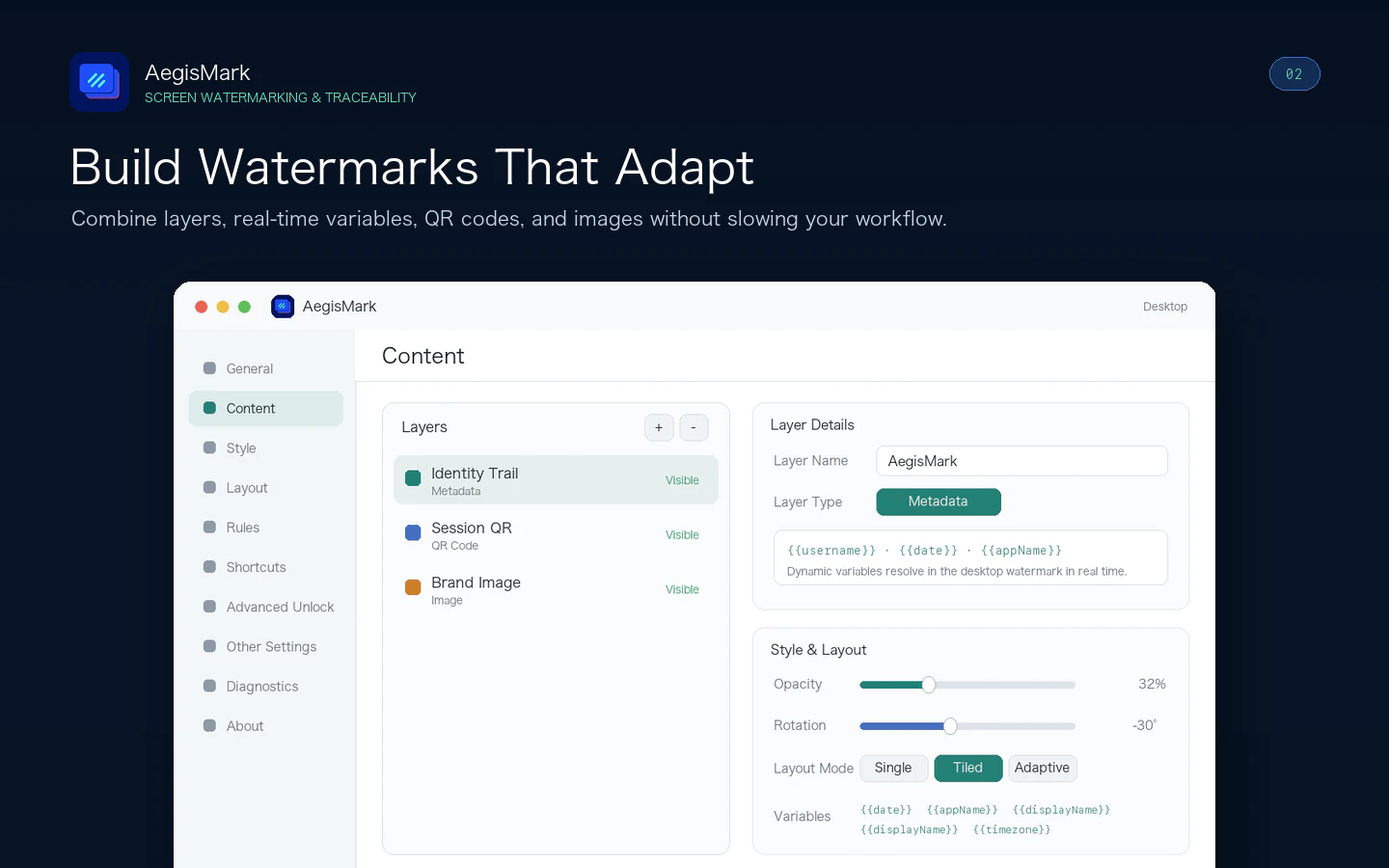
Combine text, real-time metadata, QR codes, and images in multiple layers. Automatically insert user, device, date, time, active app, website, and display details so each shared screen carries useful context.
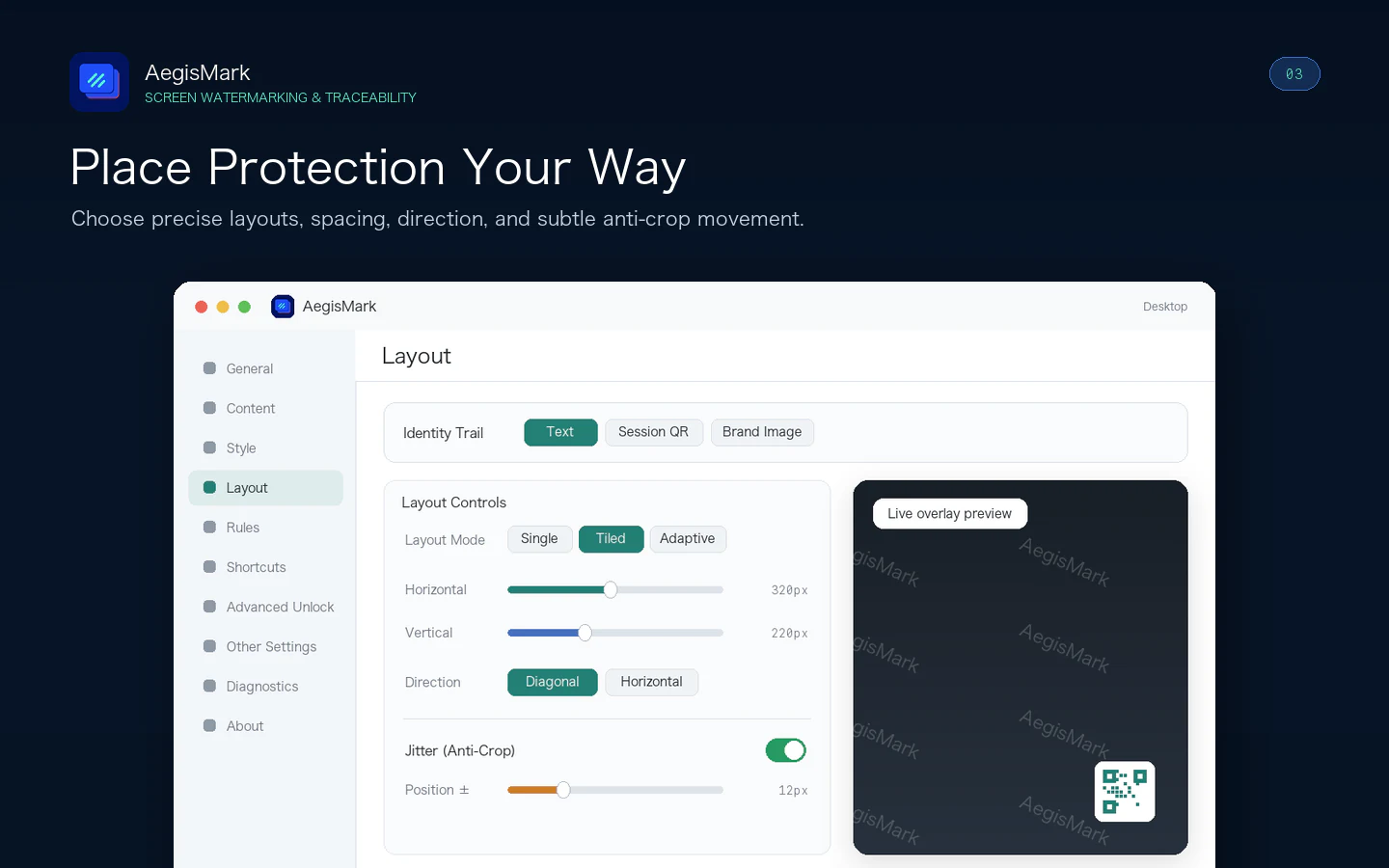
Choose tiled, single, corner, center, edge, or adaptive layouts. Fine-tune opacity, rotation, typography, spacing, background, stroke, and shadow, then add subtle randomized movement to make fixed cropping less effective.
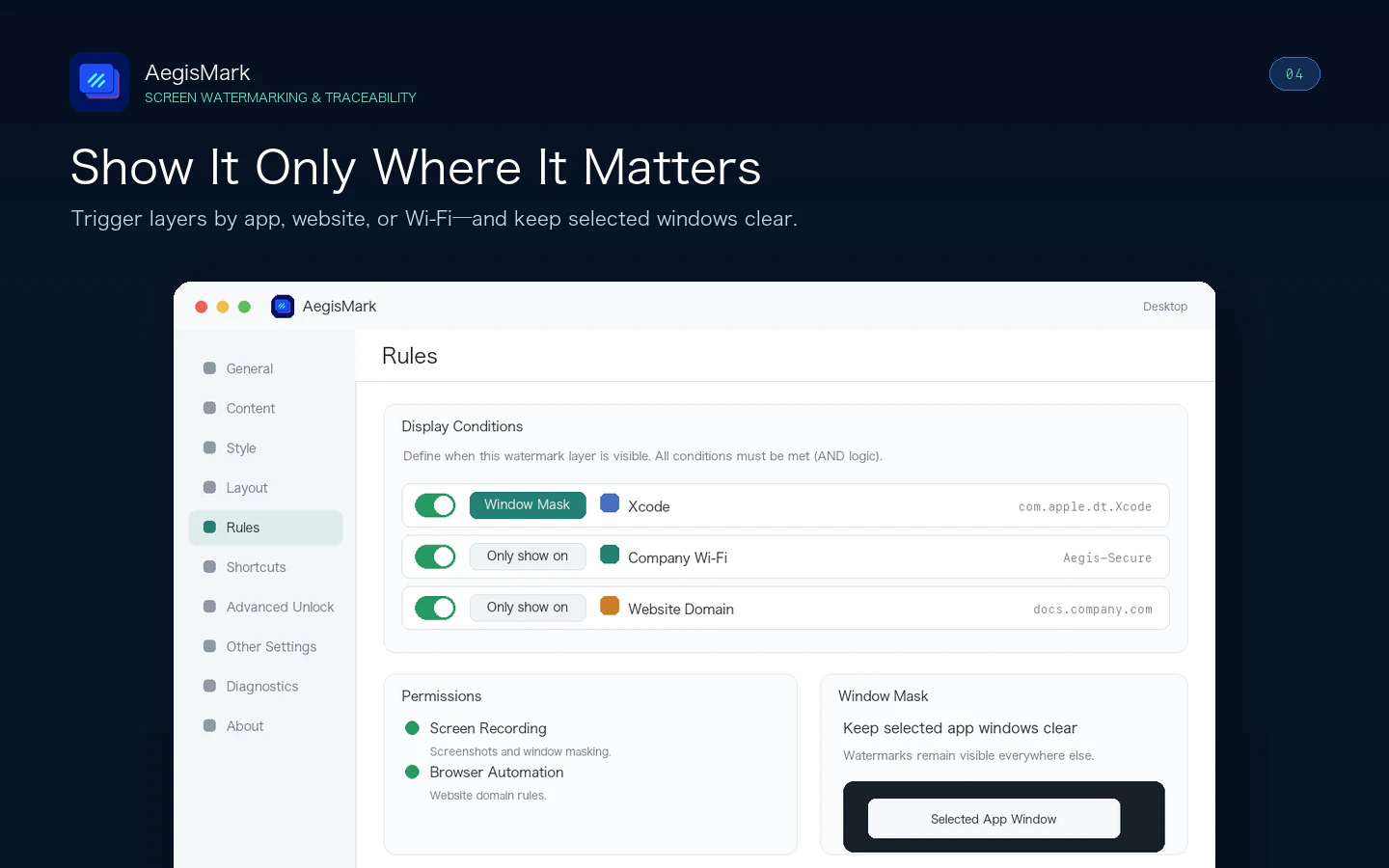
Show or hide layers by app, website domain, or network SSID. Window masking keeps selected app windows clear while watermark coverage remains visible everywhere else.
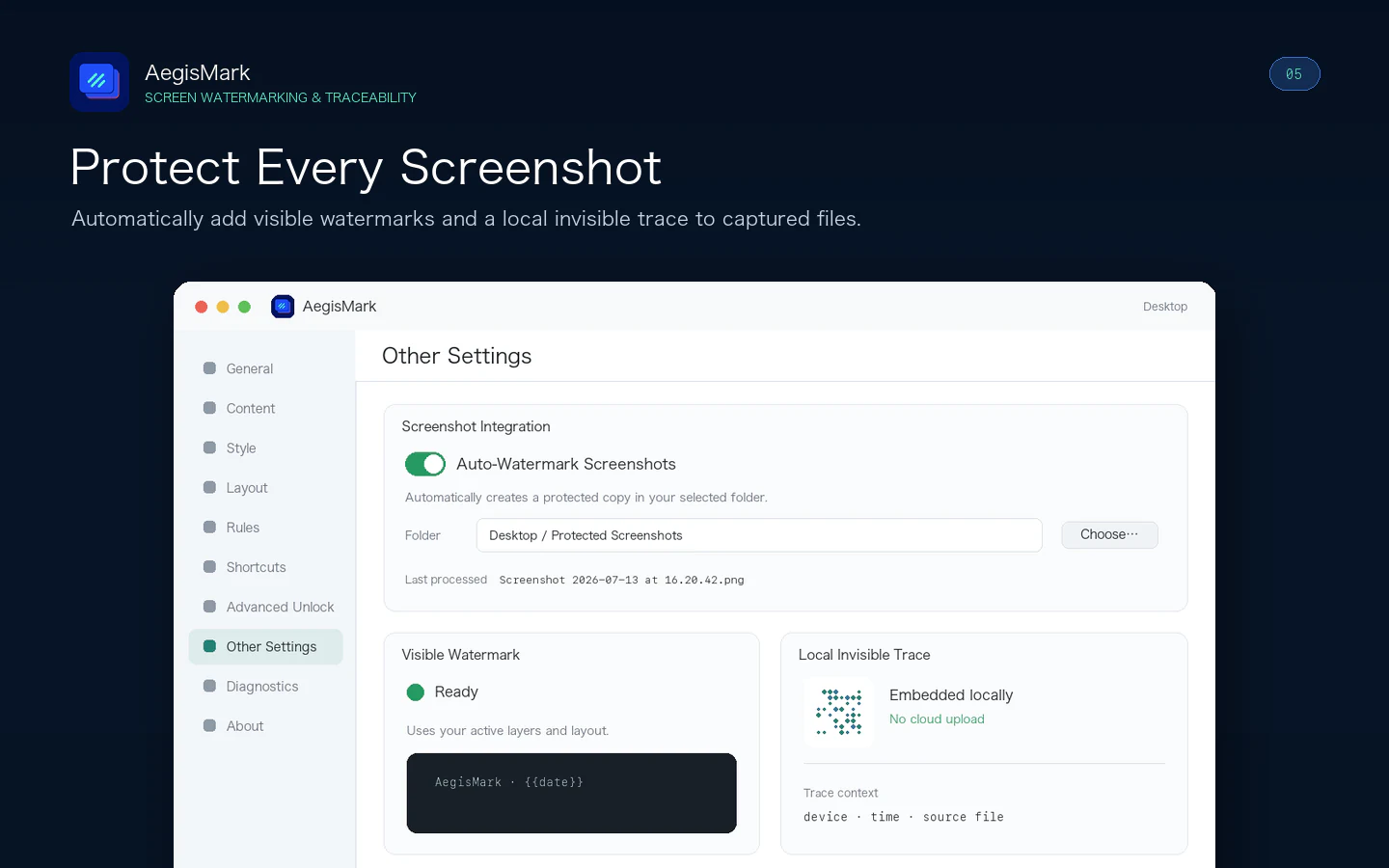
Automatically create protected copies of screenshots saved in a chosen folder. Add visible watermarks and a local invisible trace while keeping screen content, templates, browser URLs, and screenshot files on your Mac.
No in-app purchases, no subscriptions. All features included.
Discover more native apps for Mac, iPhone, and iPad.

Assistive voice and flashlight communication for moments when speaking is difficult, visibility is limited, or you need to attract nearby attention.
Learn More
Screenshot editing for Mac, iPhone & iPad. Turn screenshots into long images, extract and translate text, and review private details before sharing. Bring your screenshot workflow together with SuperShot.
Learn More
Choose where links open, automate your favorite websites, launch desktop apps, and clean common tracking parameters—all from your Mac.
Learn More