Productivity

LinkRouter Pro — Choose where every link opens

LinkRouter Pro

macOS

LinkRouter Pro for macOS

LinkRouter Pro is a native macOS utility for choosing where web links open. Set it as your default browser to route links handed off by macOS to your preferred browser or desktop app. Keep work, reading and meetings organized with clear, reusable rules.

Available now Productivity

See what’s new in macOS 1.3

Requires macOS 14 or later. Destination browsers and desktop apps must be installed; direct opening depends on the target app's URL support. Links handled entirely inside another app may not pass through the system default browser. The current App Store version cannot select a specific browser profile; switch profiles or accounts in the browser itself.

LinkRouter Pro · macOS · CHOOSE OR AUTOMATE

Everything included

Key Features

LinkRouter Pro comes packed with everything you need to get more done.

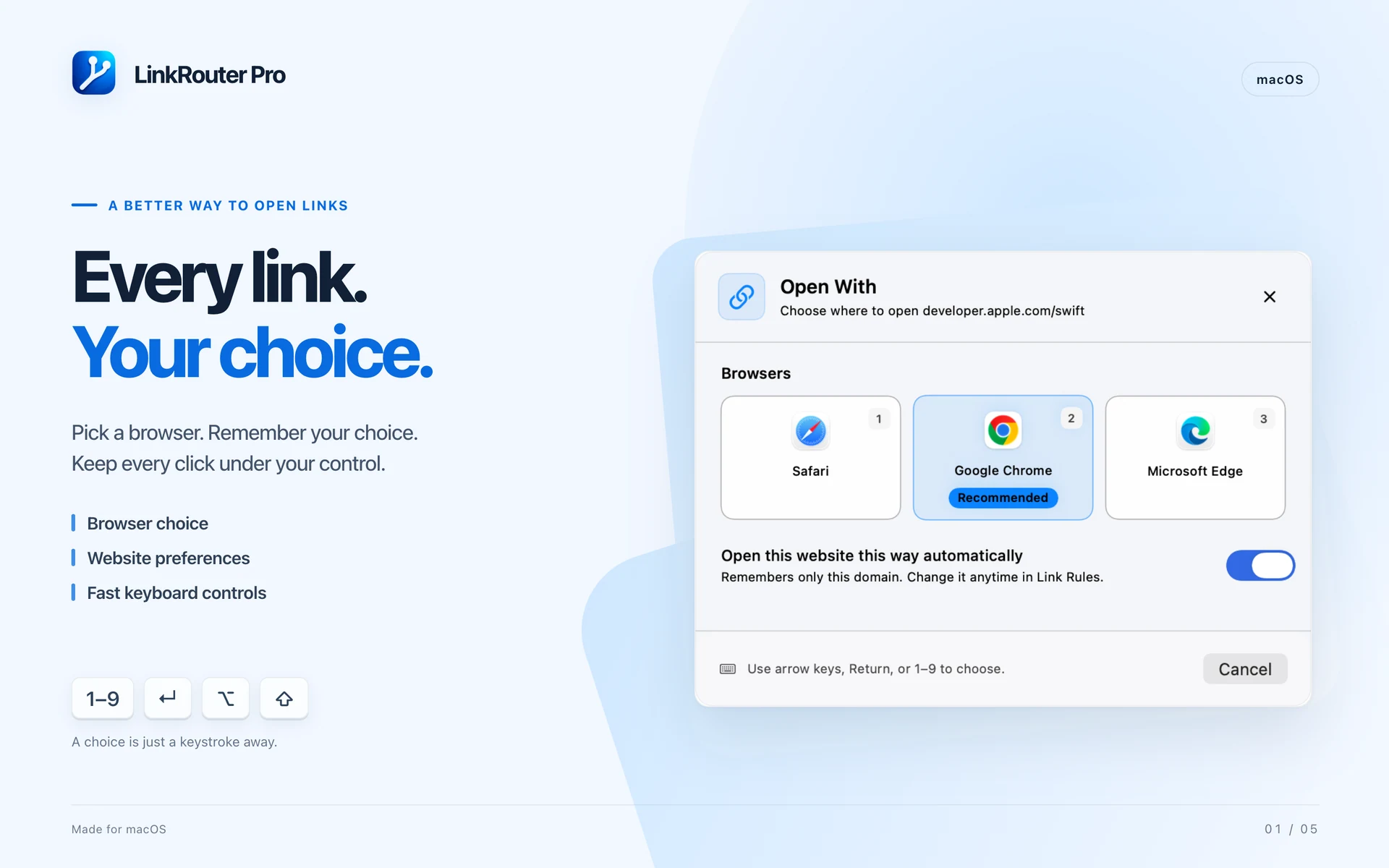
  1. Choose an installed browser or a matching desktop app from a focused picker.
  2. Keep multiple pending links in a queue while you finish the current choice.
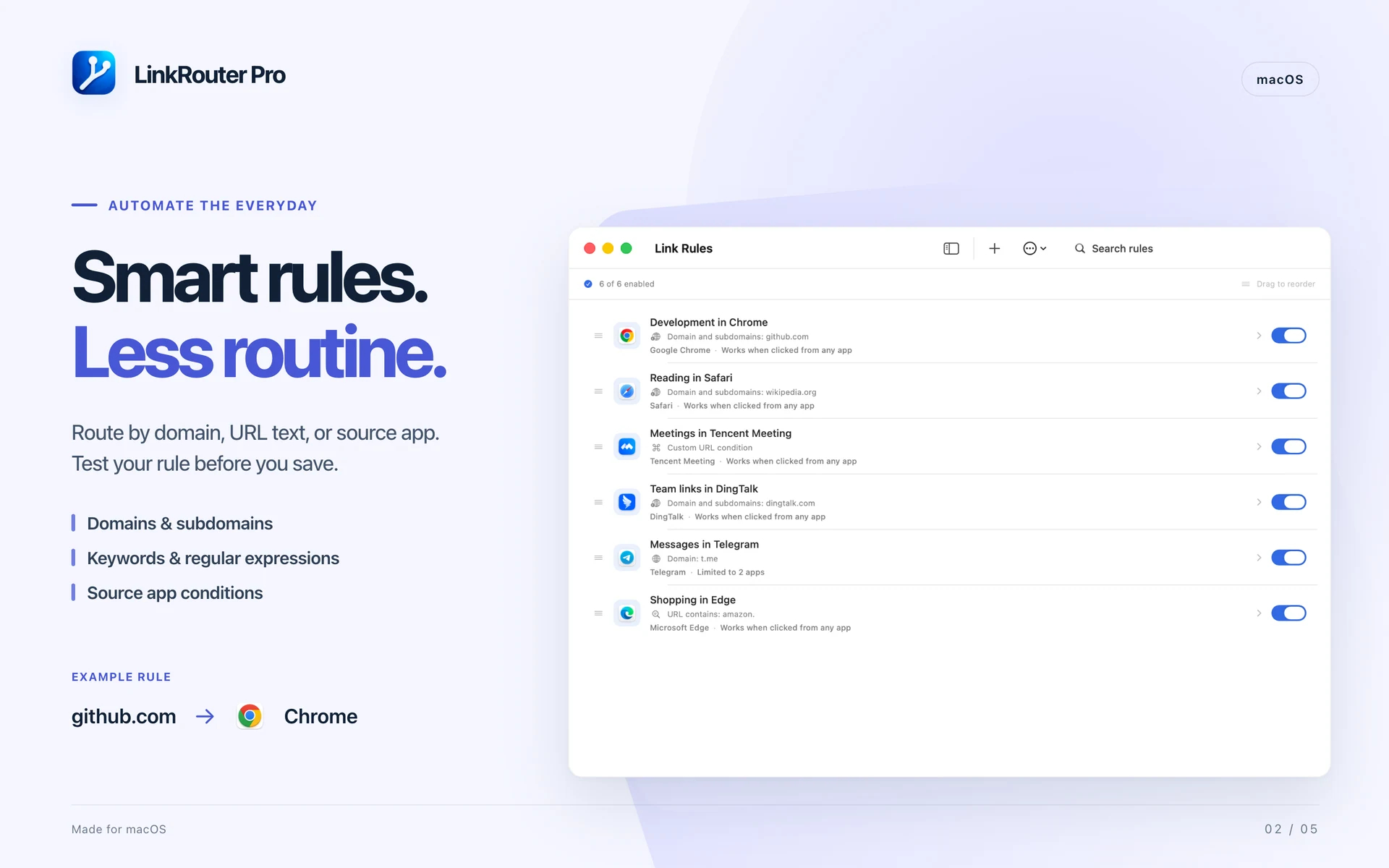
  3. Match exact domains, domains and subdomains, text within a URL, or regular expressions.
  4. Preview an unsaved rule with a sample URL, including source conditions and rule priority.
  5. Configure deep-link templates using URL paths, query parameters or regular-expression captures.
  6. Remove common marketing and tracking parameters on your Mac.
  7. Use arrow keys, Return or number keys 1–9 in the picker.
  8. Open a clipboard link from the menu bar or a customizable global keyboard shortcut.
  9. Hold Option or Shift when opening a link to temporarily use your chosen override browser.
  10. Optionally sync rules, custom app definitions and supported preferences between your Macs with iCloud. Recent-link history stays on each Mac.

LinkRouter Pro

Details

LinkRouter Pro · macOS · CHOOSE OR AUTOMATE

CHOOSE OR AUTOMATE

  • Choose an installed browser or a matching desktop app from a focused picker.
  • See a recommended browser and optionally remember how to open the current website.
  • Open matched links automatically, or ask every time.
  • Keep multiple pending links in a queue while you finish the current choice.
LinkRouter Pro · macOS · BUILD PRECISE RULES

BUILD PRECISE RULES

  • Match exact domains, domains and subdomains, text within a URL, or regular expressions.
  • Apply rules to all source apps or only the apps you select.
  • Preview an unsaved rule with a sample URL, including source conditions and rule priority.
  • Search, reorder, duplicate, enable and disable rules.
  • Import and export rules as JSON. Review an import for duplicate, conflicting or invalid entries before adding it.
LinkRouter Pro · macOS · OPEN LINKS IN DESKTOP APPS

OPEN LINKS IN DESKTOP APPS

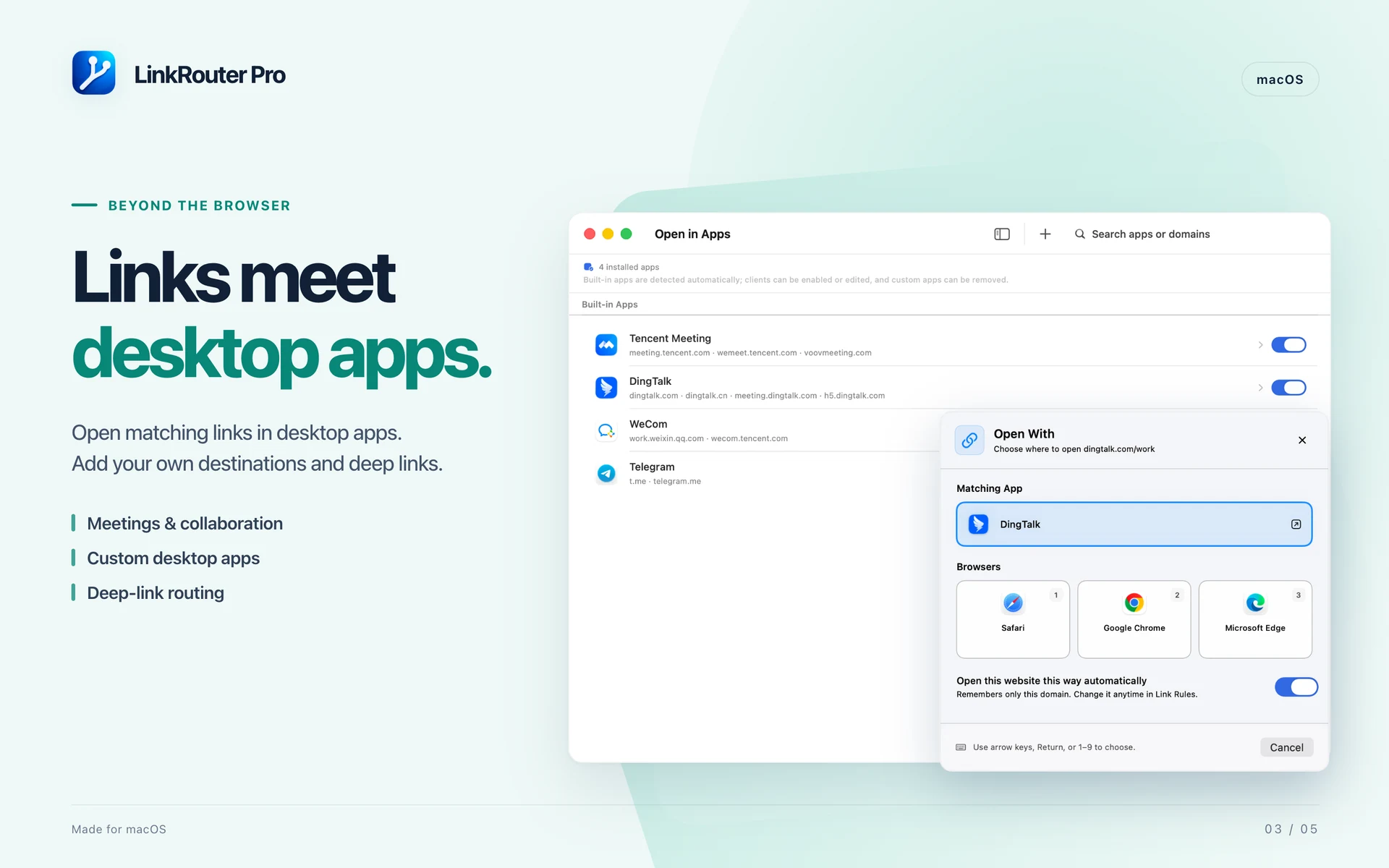
  • Send supported meeting, messaging and collaboration links to installed Mac apps.
  • Manage built-in destinations or add a custom app with its own associated domains.
  • Configure deep-link templates using URL paths, query parameters or regular-expression captures.
LinkRouter Pro · macOS · CLEAN LINKS BEFORE OPENING

CLEAN LINKS BEFORE OPENING

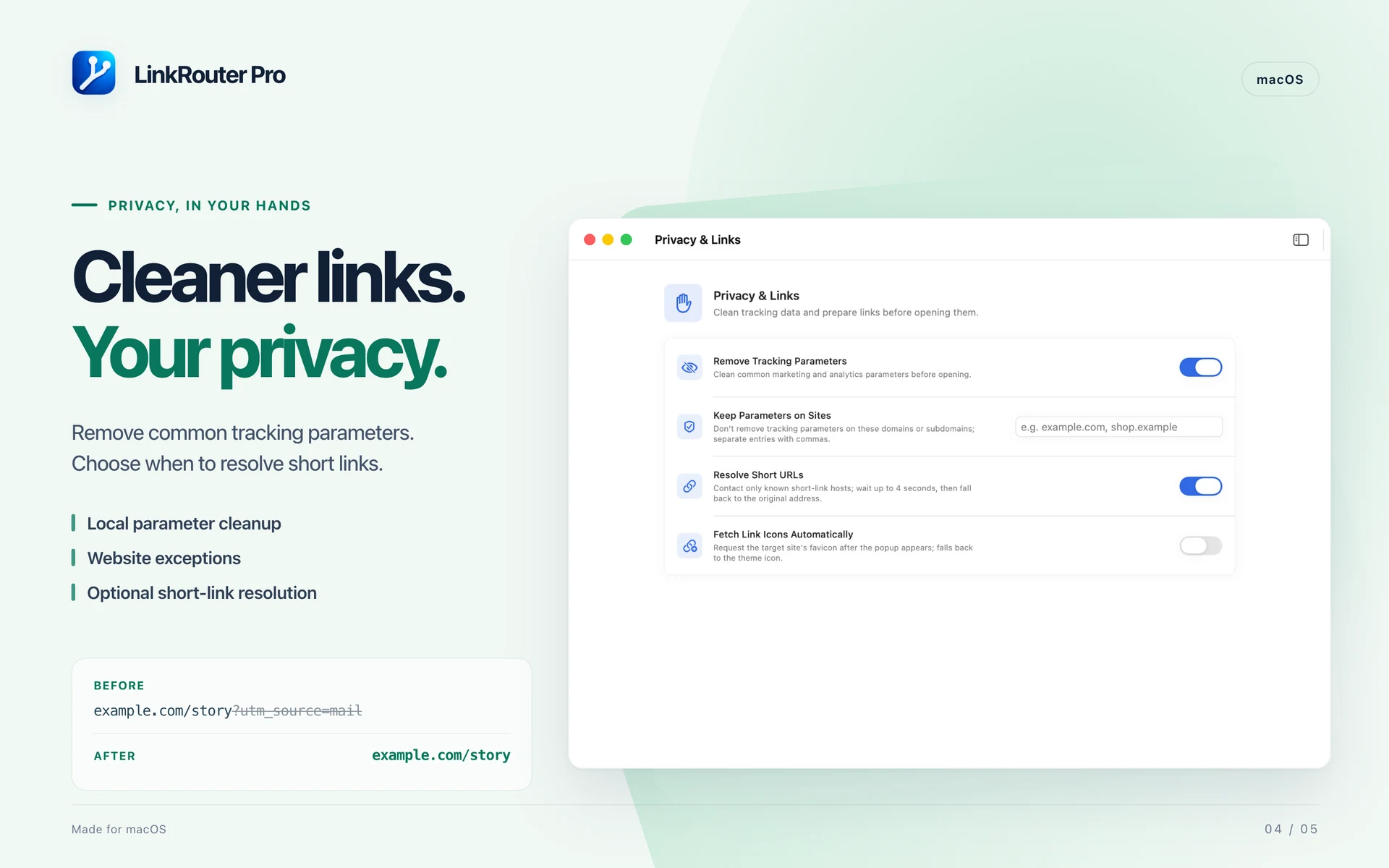
Routing decisions and parameter cleanup run locally. Short-link resolution and website-icon fetching contact the relevant websites and can be turned off. iCloud synchronization is optional.

  • Remove common marketing and tracking parameters on your Mac.
  • Exempt selected websites and their subdomains when parameters need to be preserved.
  • Optionally resolve supported short links before matching rules. If resolution fails or times out, continue with the original address.
LinkRouter Pro · macOS · MAKE IT YOURS

MAKE IT YOURS

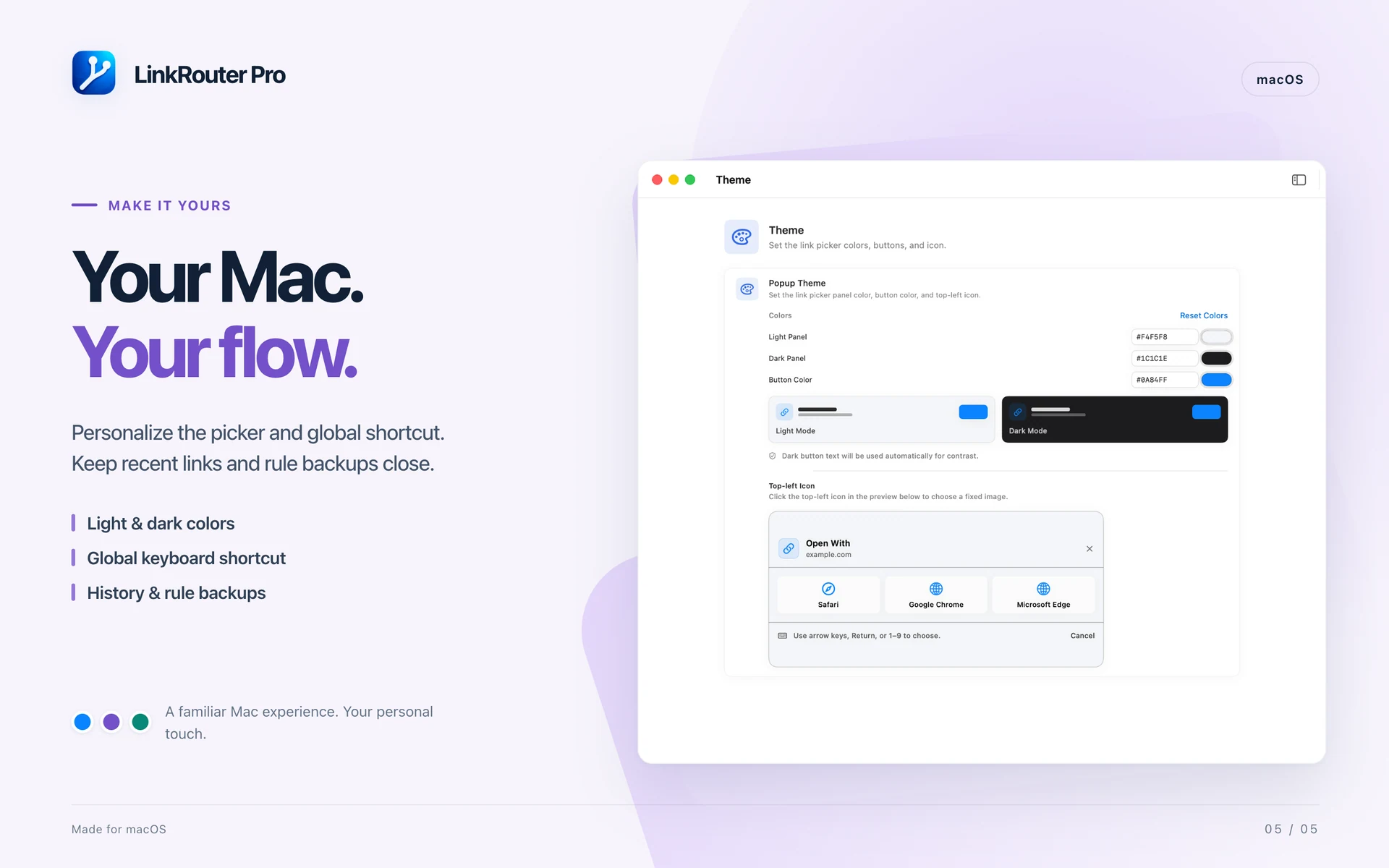
  • Use Light Mode, Dark Mode or the system appearance.
  • Customize the picker's light and dark panel colors, button color and corner icon.
  • Optionally fetch website icons, and enable launch at login when you want it.
  • Use English, Simplified Chinese, Traditional Chinese or Japanese.
  • Save successful opens in local history, choose how many entries to keep, reopen links or clear the list.
  • Recognized sensitive URL parameters are redacted from saved history.
  • Optionally sync rules, custom app definitions and supported preferences between your Macs with iCloud. Recent-link history stays on each Mac.
Pricing

Free

No in-app purchases, no subscriptions. All features included.

0 forever

Ready to get LinkRouter Pro?

Choose your device and view the app on the App Store.