
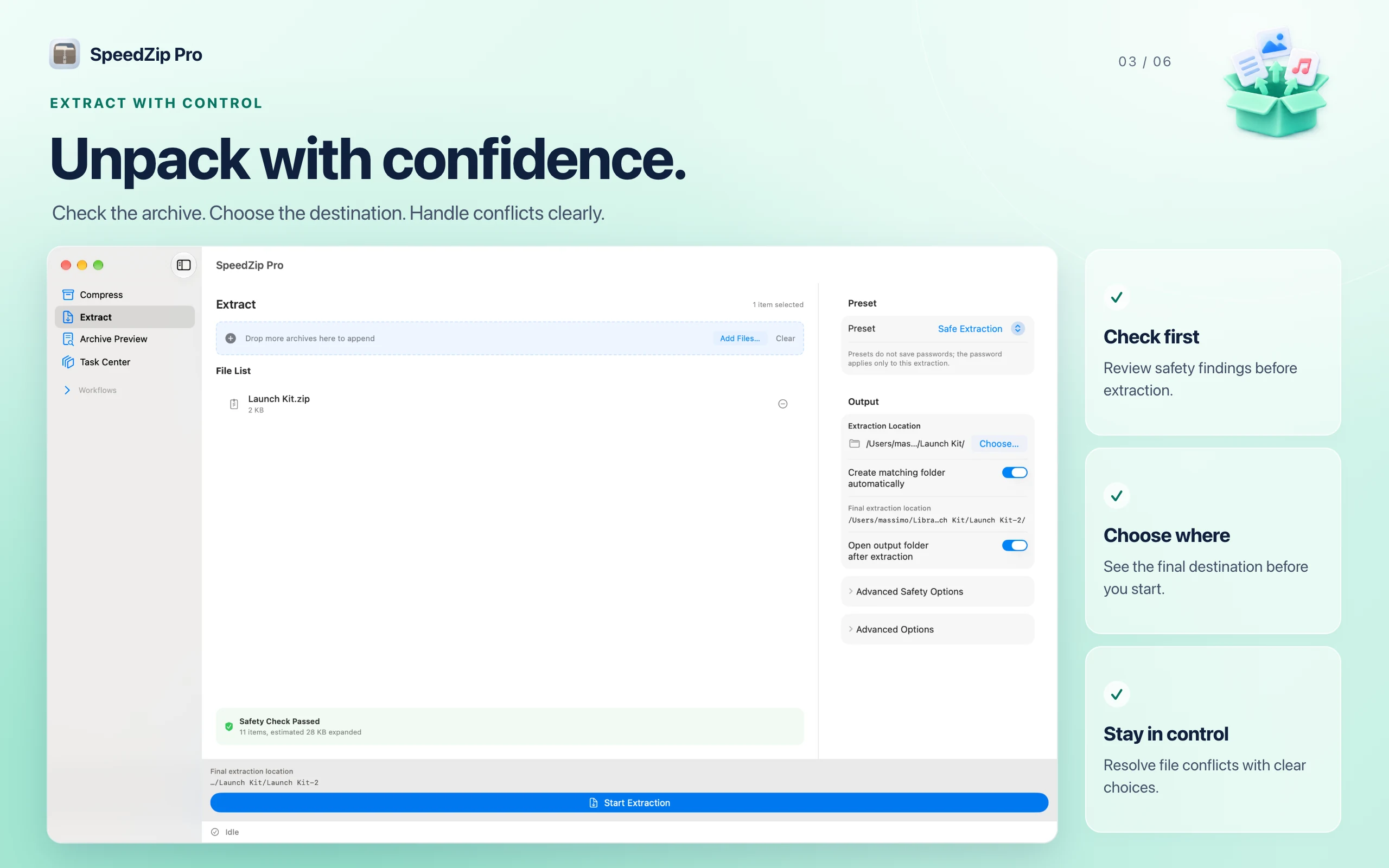
Create and extract
Create ZIP, 7Z and TAR archives. Open and extract ZIP, RAR, 7Z and TAR archives, including TAR.XZ. Choose your destination and folder strategy, handle file conflicts, and extract selected files.
Utilities
SpeedZip
macOS
SpeedZip makes everyday archive work easier on your Mac. Pack files for sharing, look inside downloads before extracting them, and keep projects ready for handoff.
Requires macOS 15 or later and an Apple Silicon Mac. Intel Macs are no longer supported.
Supported operations vary by archive format. Some advanced features require an in-app purchase.
SpeedZip
iPhone
SpeedZip brings archive, PDF and media tools together on iPhone and iPad. Organize files, prepare documents and share smaller files from one app.
See what’s new in iPhone 1.5.6
iOS ≥ 18.0
Basic ZIP creation, common archive extraction, file management, playback, document scanning and browsing are free. Password protection and split archives when creating archives, all non-ZIP creation formats, DZIP/ISO/XAR extraction, PDF tools, OCR, image compression, text editing and video/audio tools require Pro through an in-app purchase. Archive creation and extraction run on your device without uploading file contents or passwords. Format compatibility and compression results depend on the source and settings. RAR and ZIPX support extraction only.
SpeedZip
iPad
SpeedZip brings archive, PDF and media tools together on iPhone and iPad. Organize files, prepare documents and share smaller files from one app.
iPadOS ≥ 18.0
Basic ZIP creation, common archive extraction, file management, playback, document scanning and browsing are free. Password protection and split archives when creating archives, all non-ZIP creation formats, DZIP/ISO/XAR extraction, PDF tools, OCR, image compression, text editing and video/audio tools require Pro through an in-app purchase. Archive creation and extraction run on your device without uploading file contents or passwords. Format compatibility and compression results depend on the source and settings. RAR and ZIPX support extraction only.
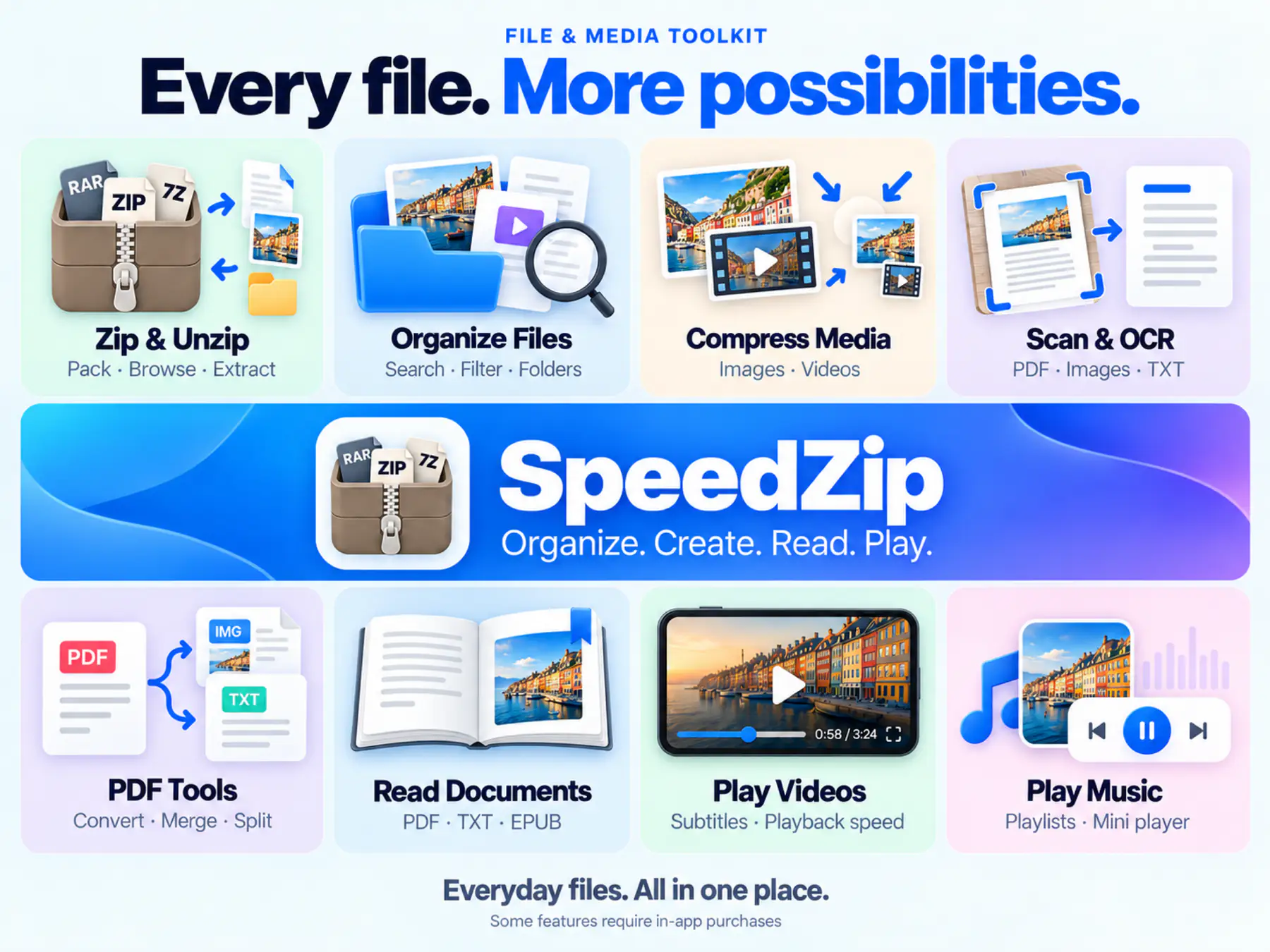
Everything included
SpeedZip comes packed with everything you need to get more done.
SpeedZip
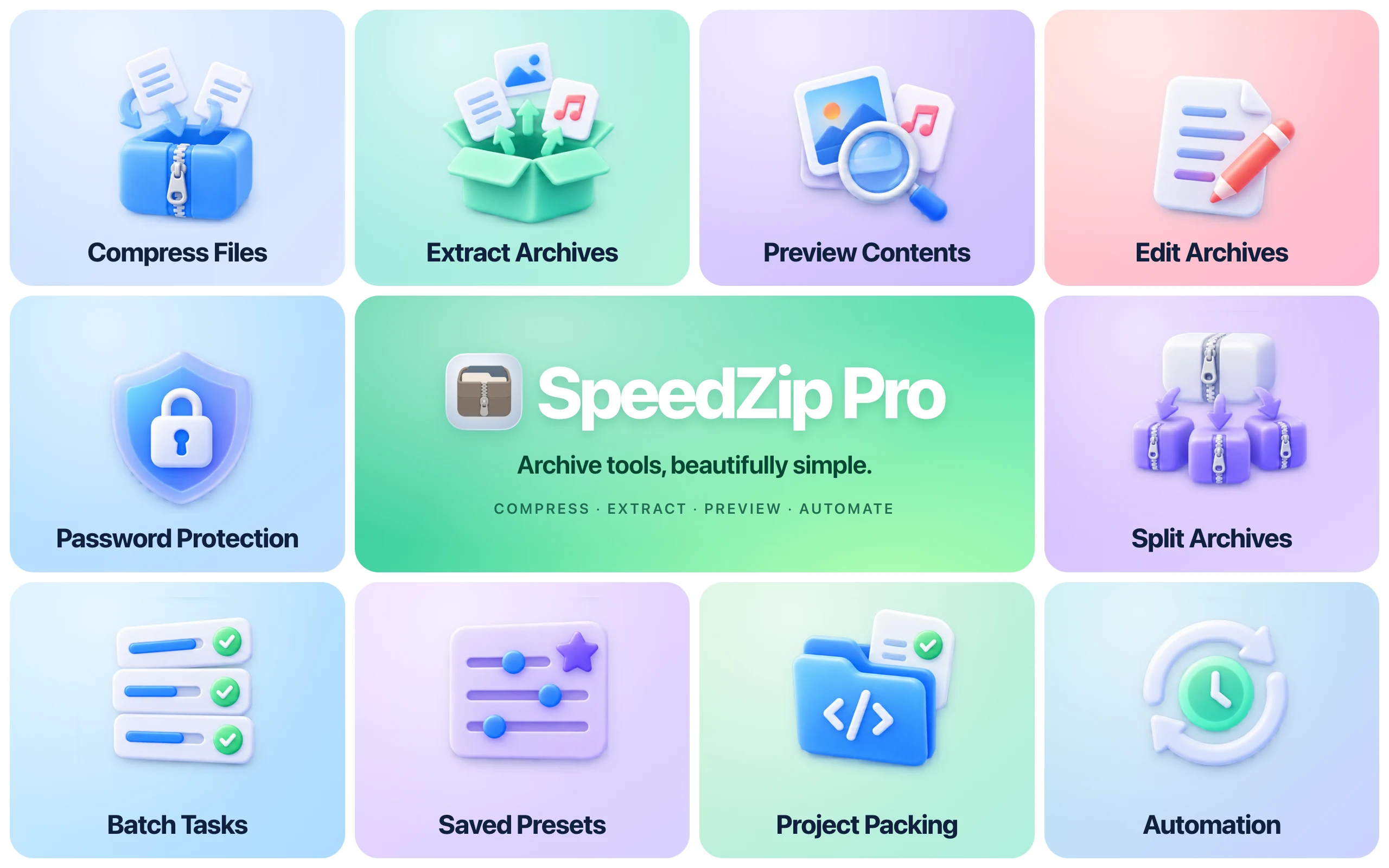
Create ZIP, 7Z and TAR archives. Open and extract ZIP, RAR, 7Z and TAR archives, including TAR.XZ. Choose your destination and folder strategy, handle file conflicts, and extract selected files.
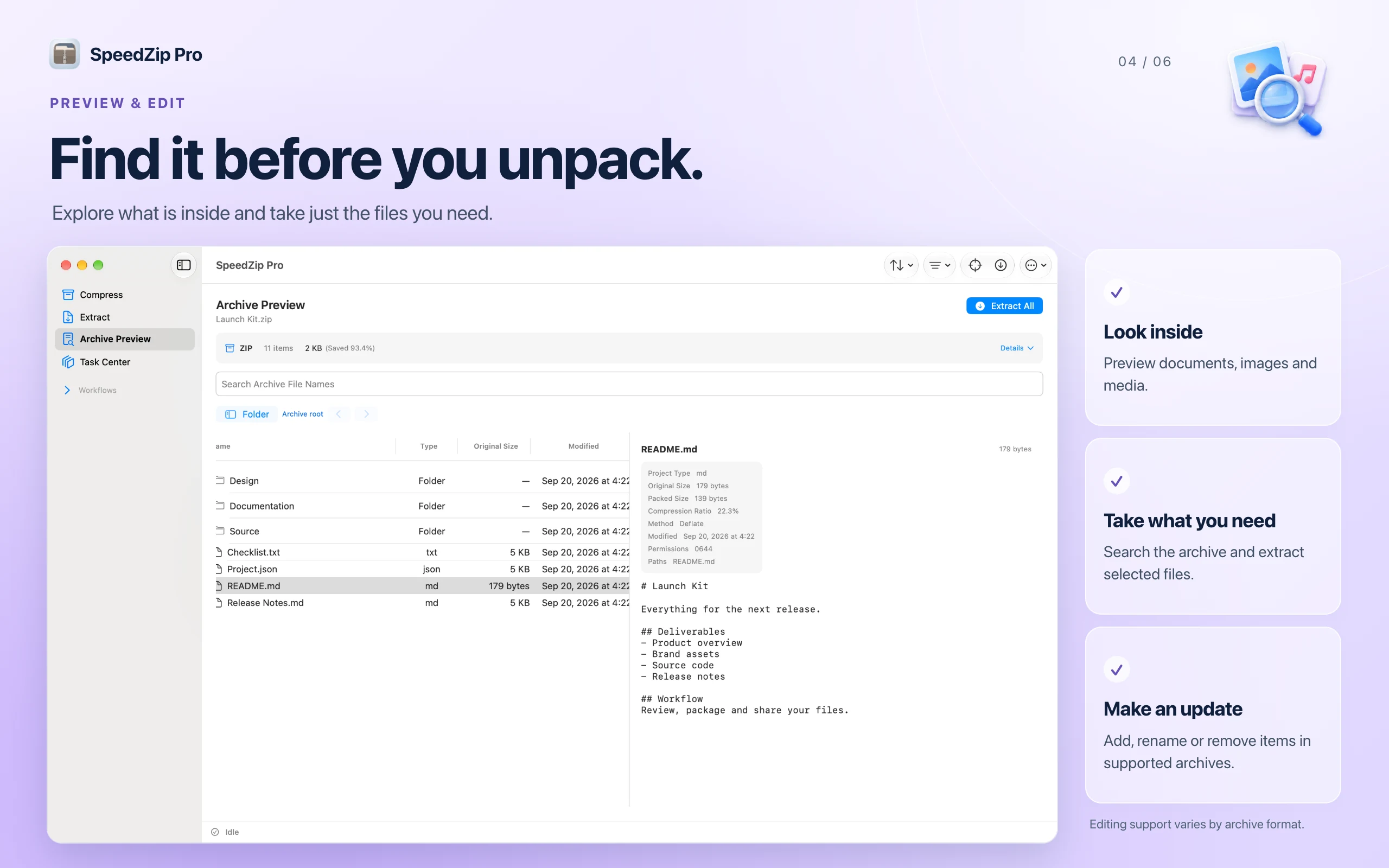
Search archive file names and preview supported documents, images, audio and video. Add, rename or remove items in editable archives. Launch archive actions from Finder.
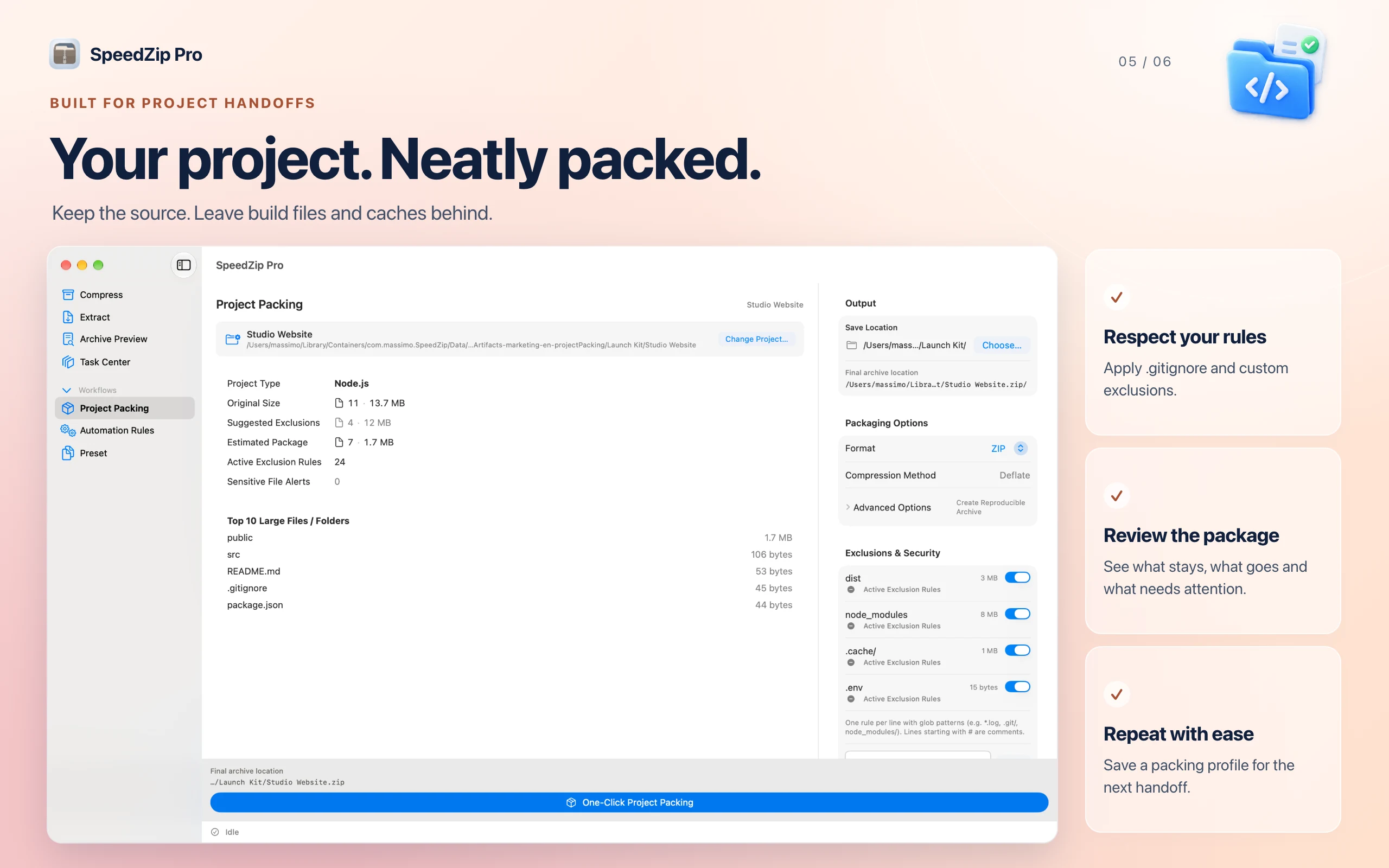
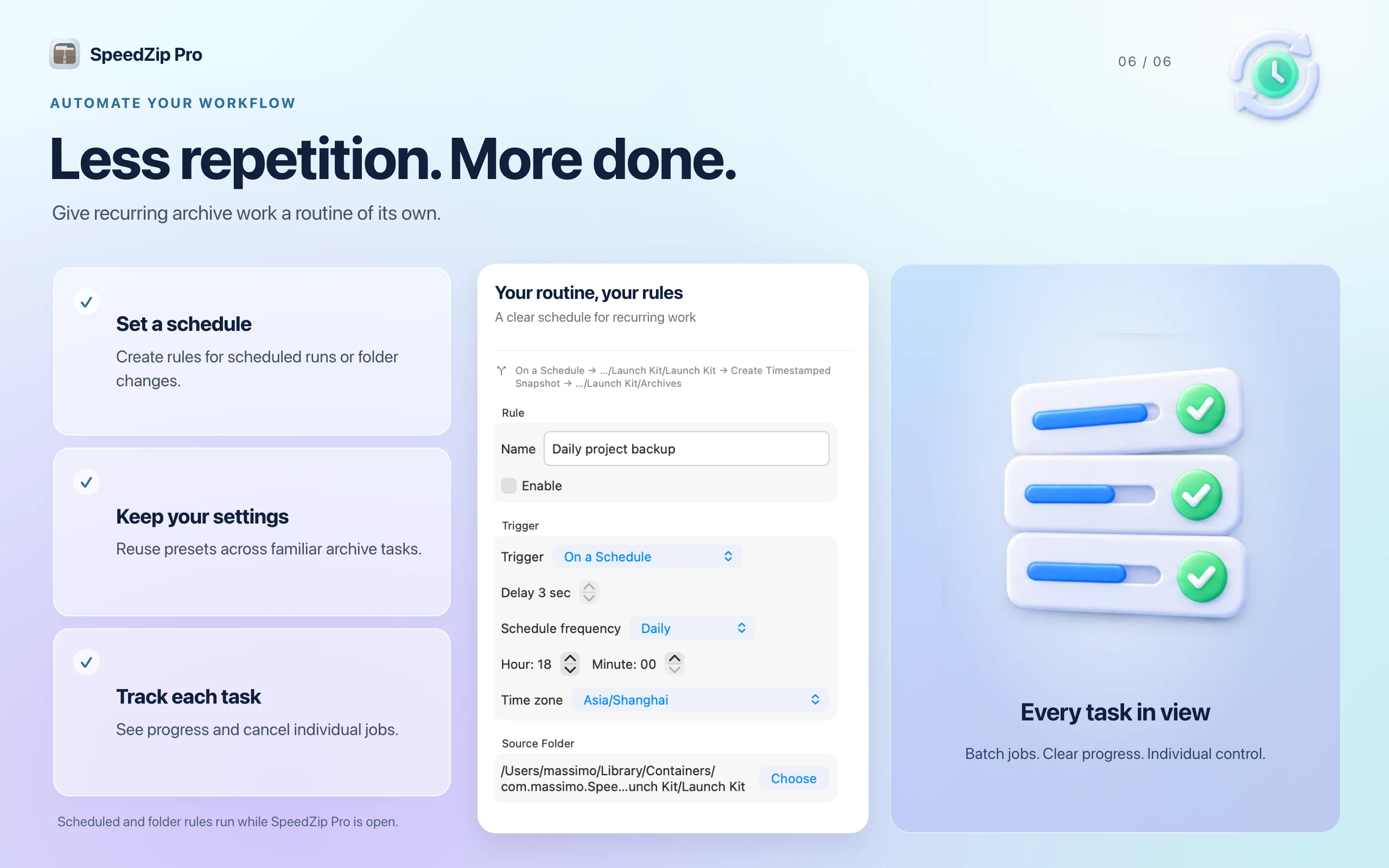
Use .gitignore and custom exclusions to leave out build files and caches. Reuse presets, follow batch progress and cancel individual tasks. Enable and authorize the background agent to keep automation running after you quit SpeedZip. Review recent automation runs and retry saving logs when needed, without running archive tasks again.
Switch between 50 interface languages in Settings. File-size, number and date formatting follow the selected interface locale.
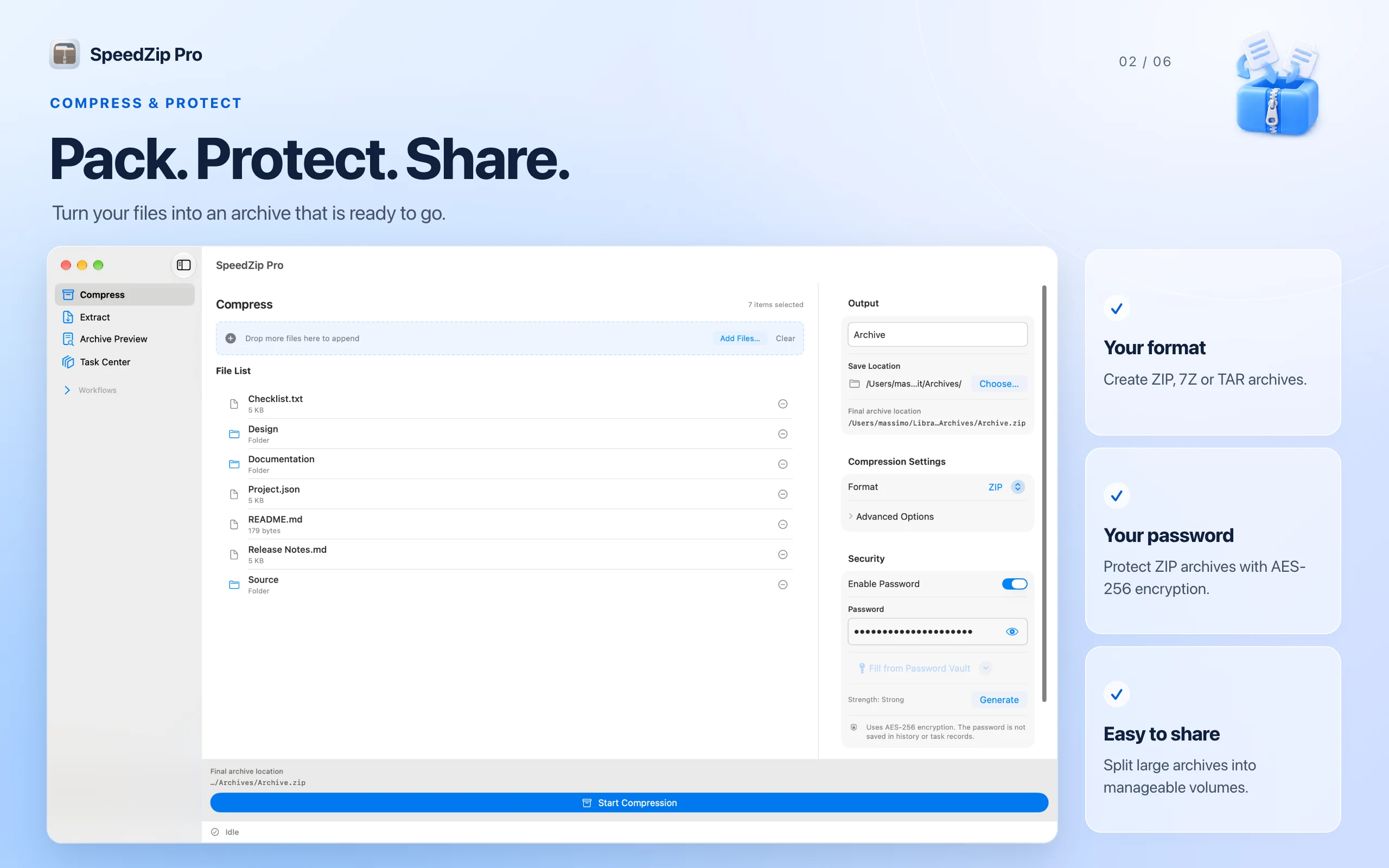
Archive operations run locally on your Mac. Protect ZIP archives with AES-256 encryption and split supported archives into volumes.
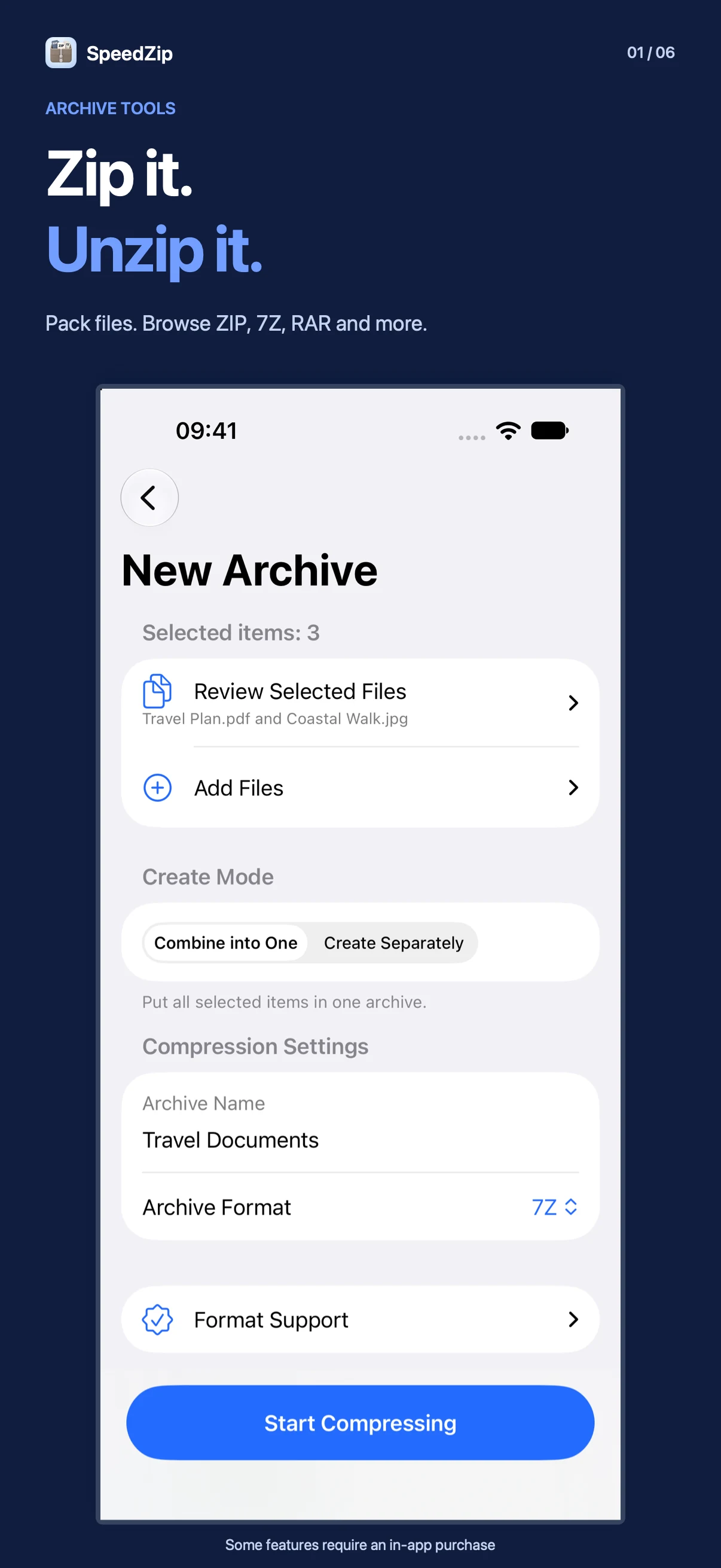
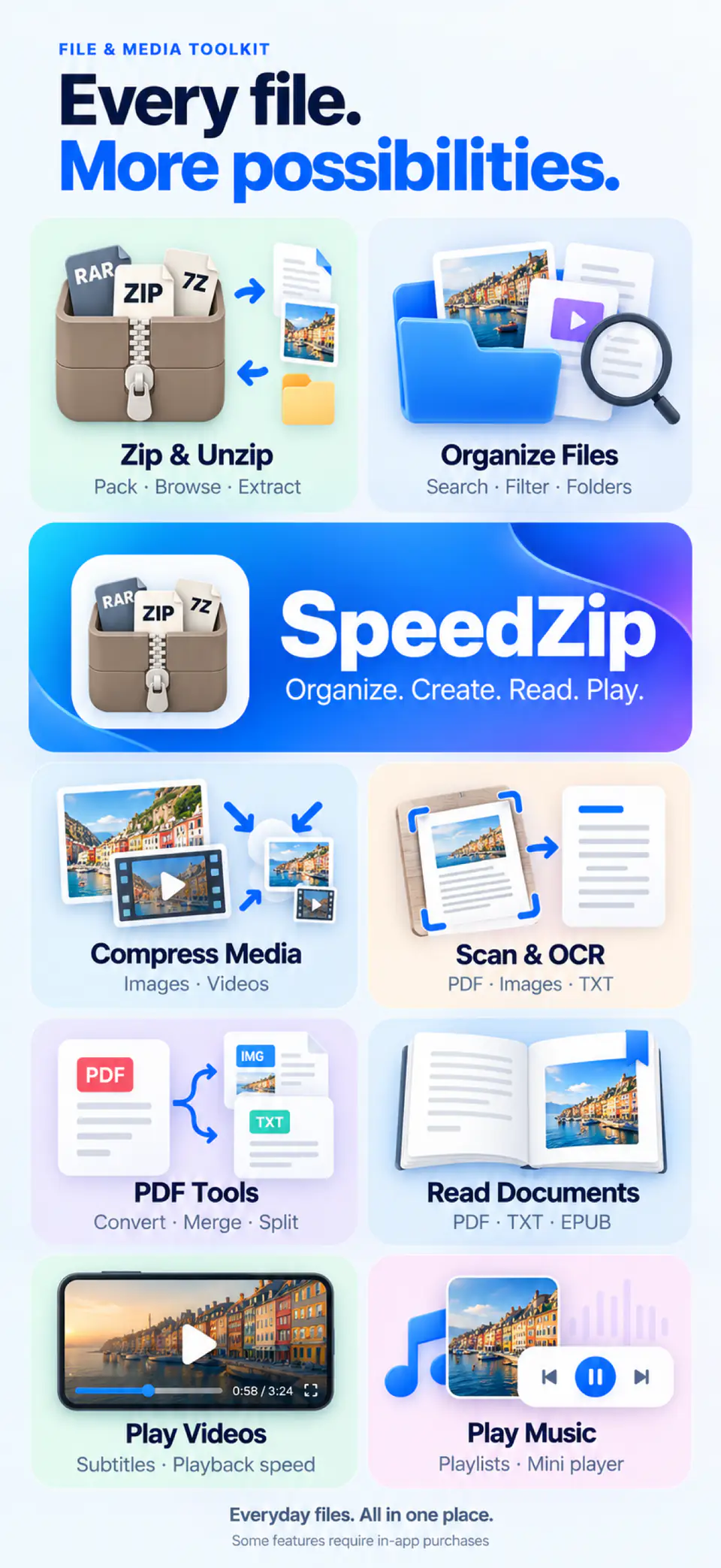
Browse and extract ZIP, 7Z, RAR, ZIPX, TAR, GZ and other supported archives. Create ZIP, 7Z, TAR, TAR.GZ or DZIP (.dz). Protect ZIP and 7Z archives with AES-256 encryption or split archives into volumes. Use Quick ZIP in the iOS share sheet to compress files and folders, then share the ZIP or save it to SpeedZip.
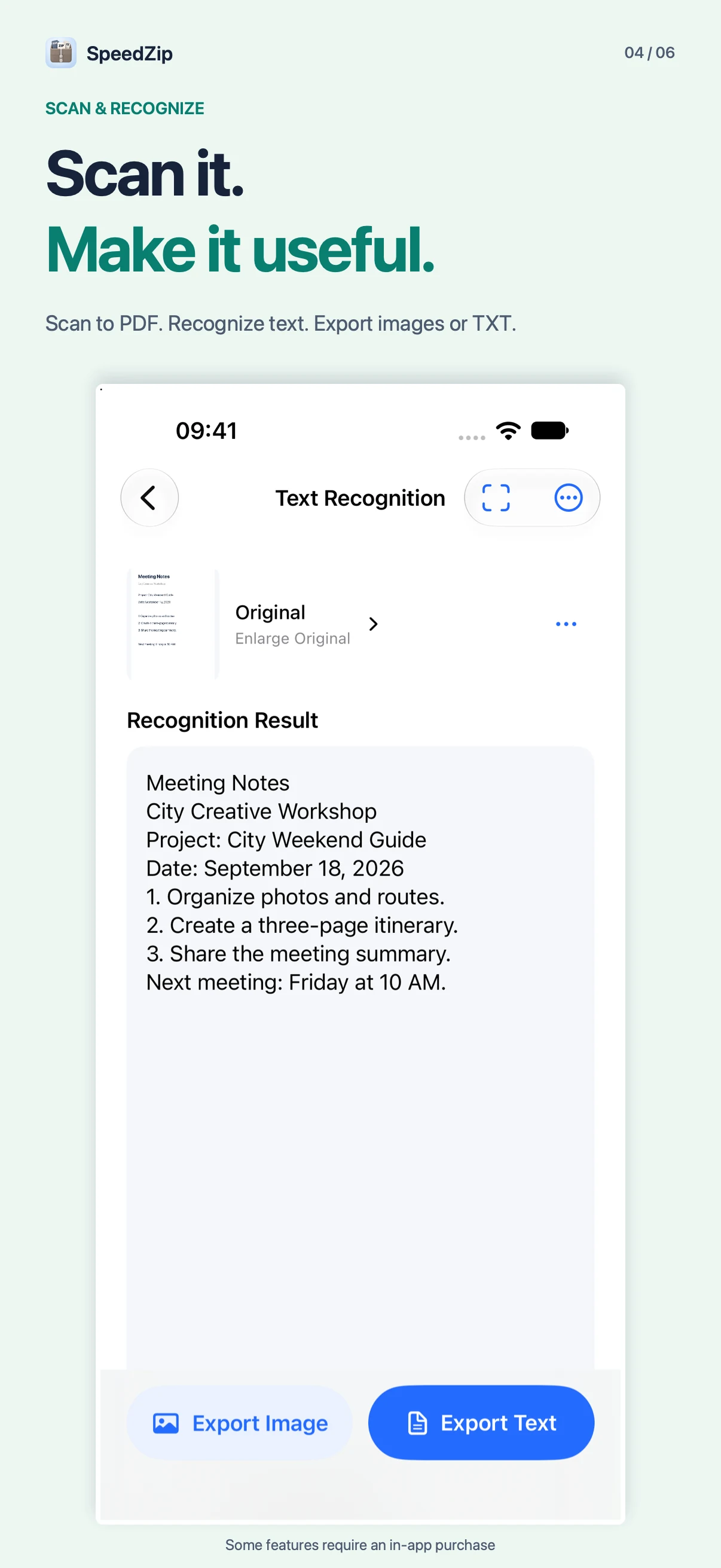
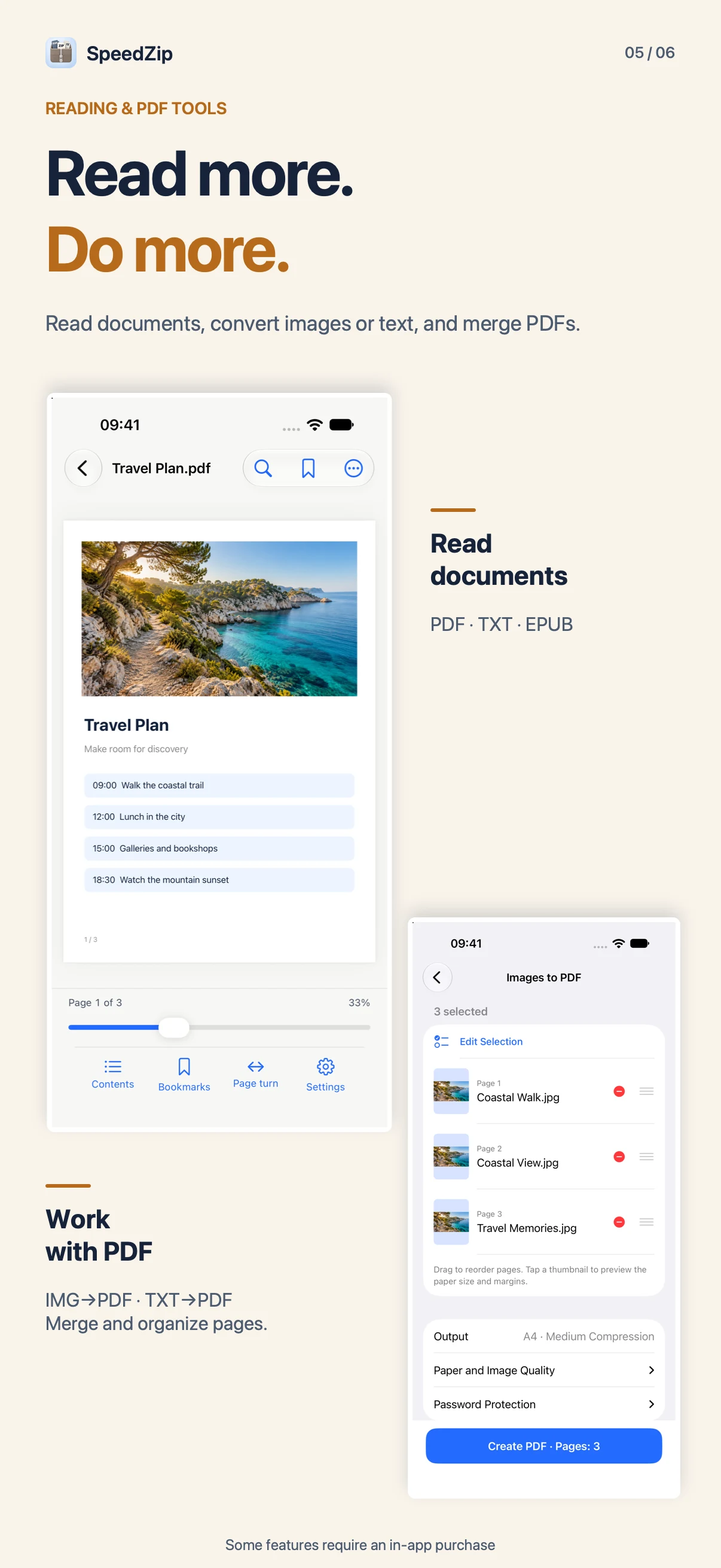
Scan multiple pages into a PDF. Merge or compress PDFs, convert images or TXT to PDF, and export PDF pages as images or existing text as TXT. OCR recognizes English, Simplified and Traditional Chinese, Japanese and Korean.
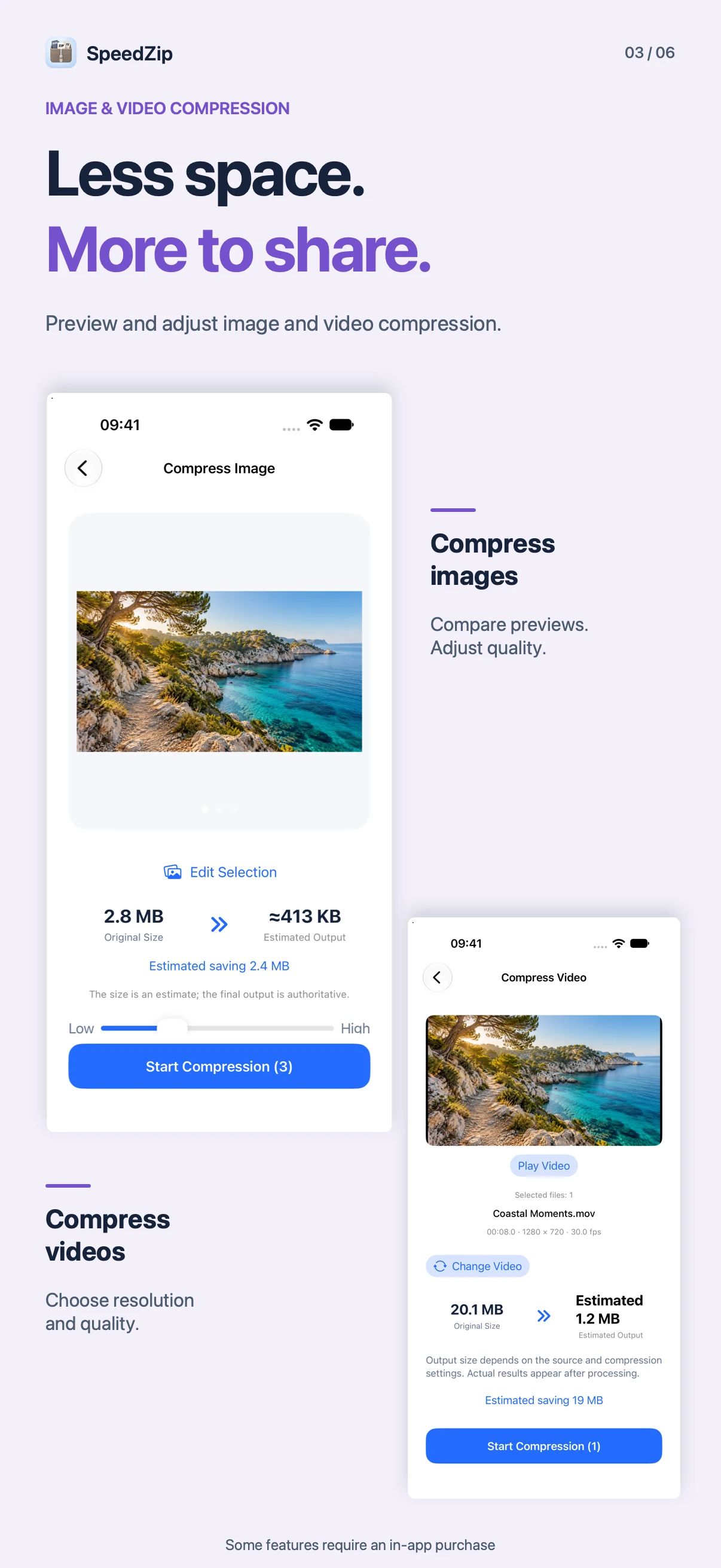
Compress images and videos while keeping the originals. Convert compatible videos to MP4 or MOV, trim clips, add watermarks, capture frames and extract audio.
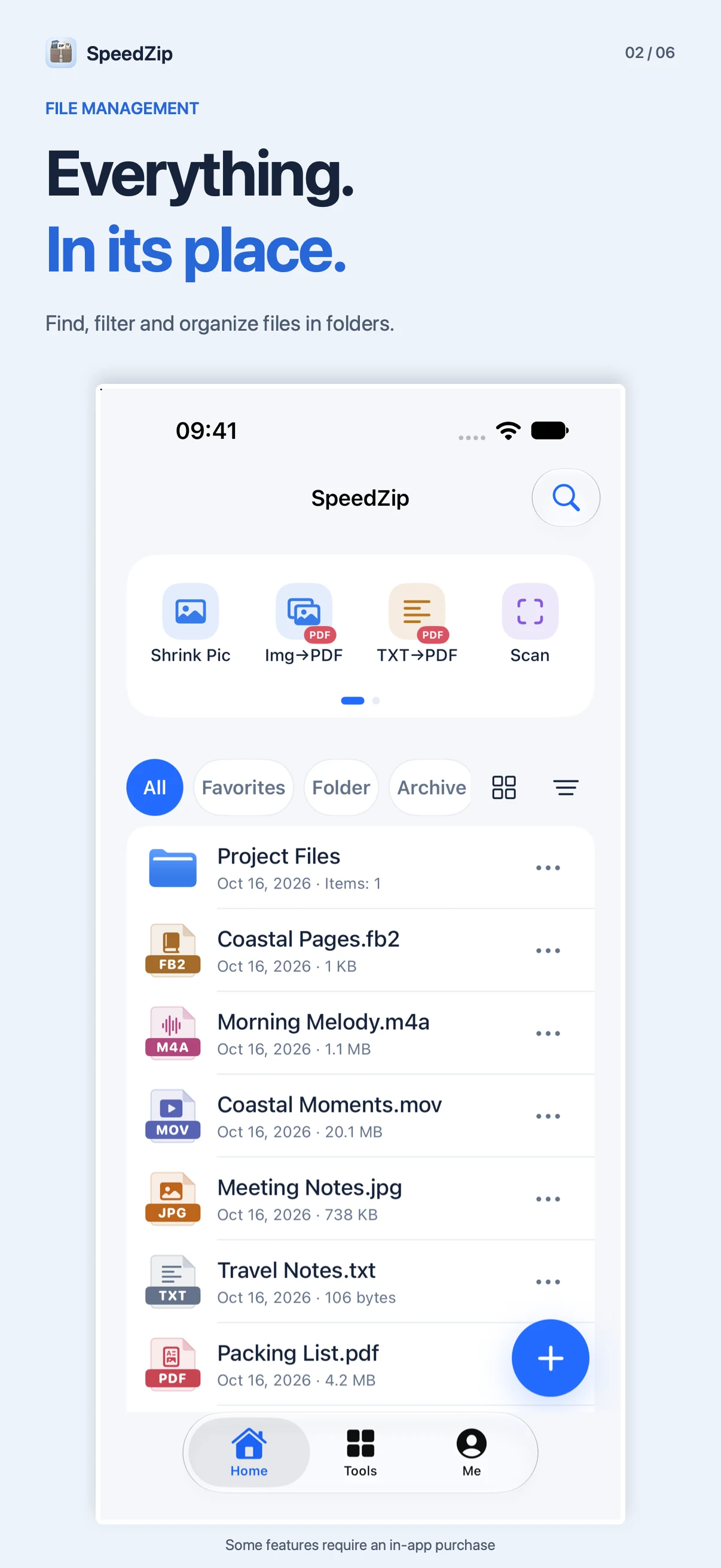
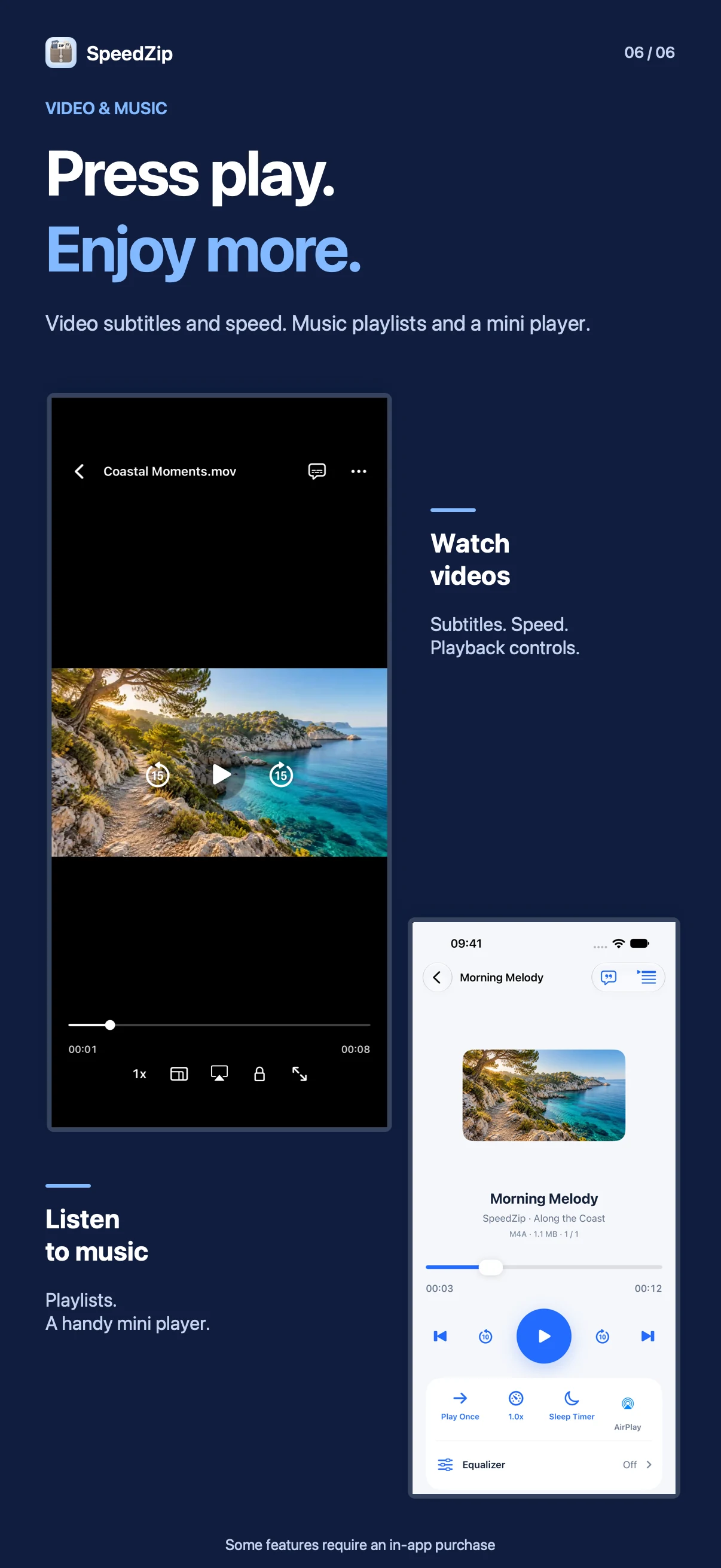
Search and organize files, restore items from the Recycle Bin, transfer files over the same Wi-Fi network and play local media. Browse the web and manage downloads with separate normal and private tabs. Private browsing does not save browsing history; files you download remain saved.
Basic ZIP creation, common archive extraction, file management, playback, document scanning and browsing are free. Password protection and split archives when creating archives, all non-ZIP creation formats, DZIP/ISO/XAR extraction, PDF tools, OCR, image compression, text editing and video/audio tools require Pro through an in-app purchase.
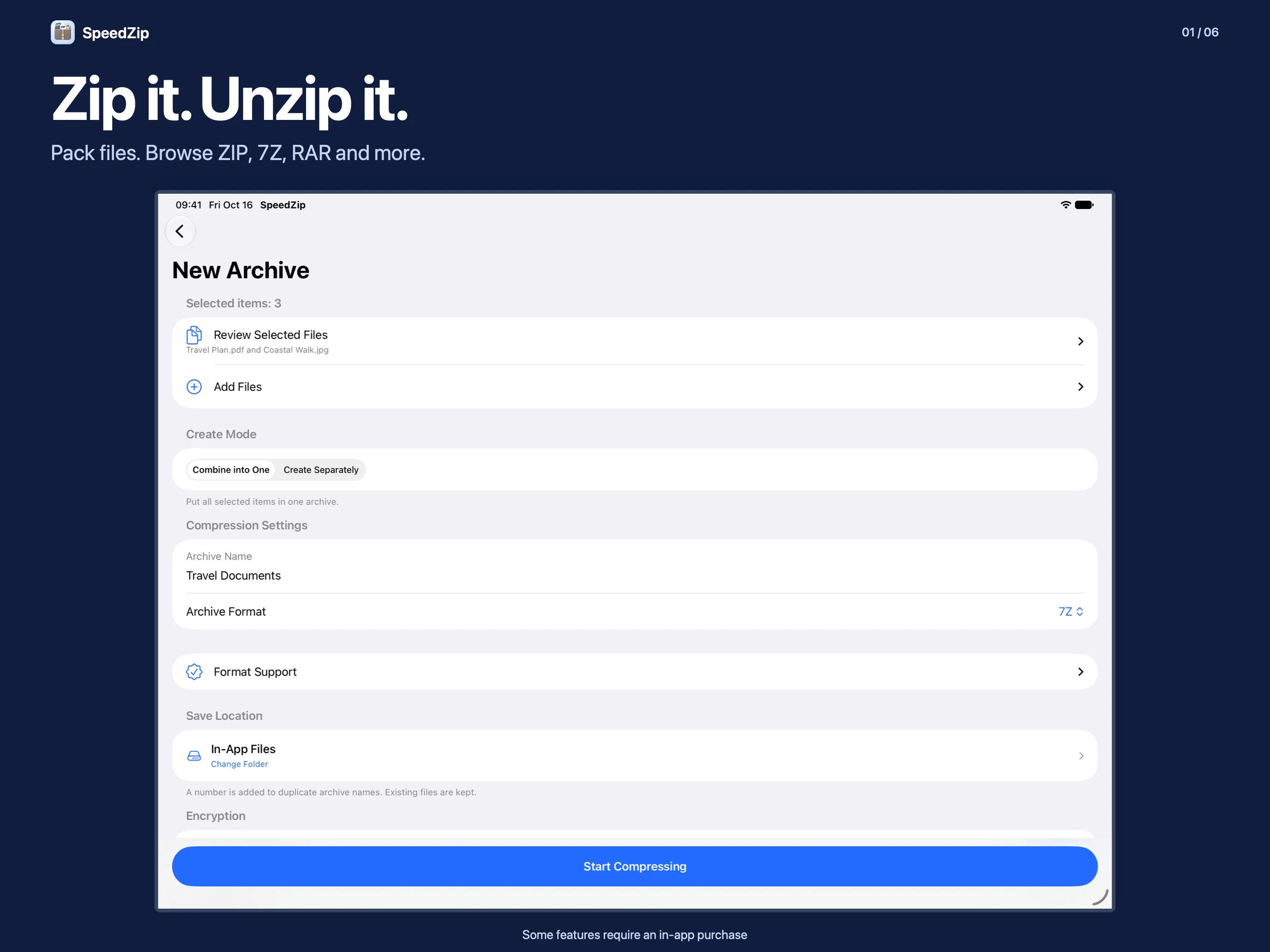
Browse and extract ZIP, 7Z, RAR, ZIPX, TAR, GZ and other supported archives. Create ZIP, 7Z, TAR, TAR.GZ or DZIP (.dz). Protect ZIP and 7Z archives with AES-256 encryption or split archives into volumes. Use Quick ZIP in the iOS share sheet to compress files and folders, then share the ZIP or save it to SpeedZip.
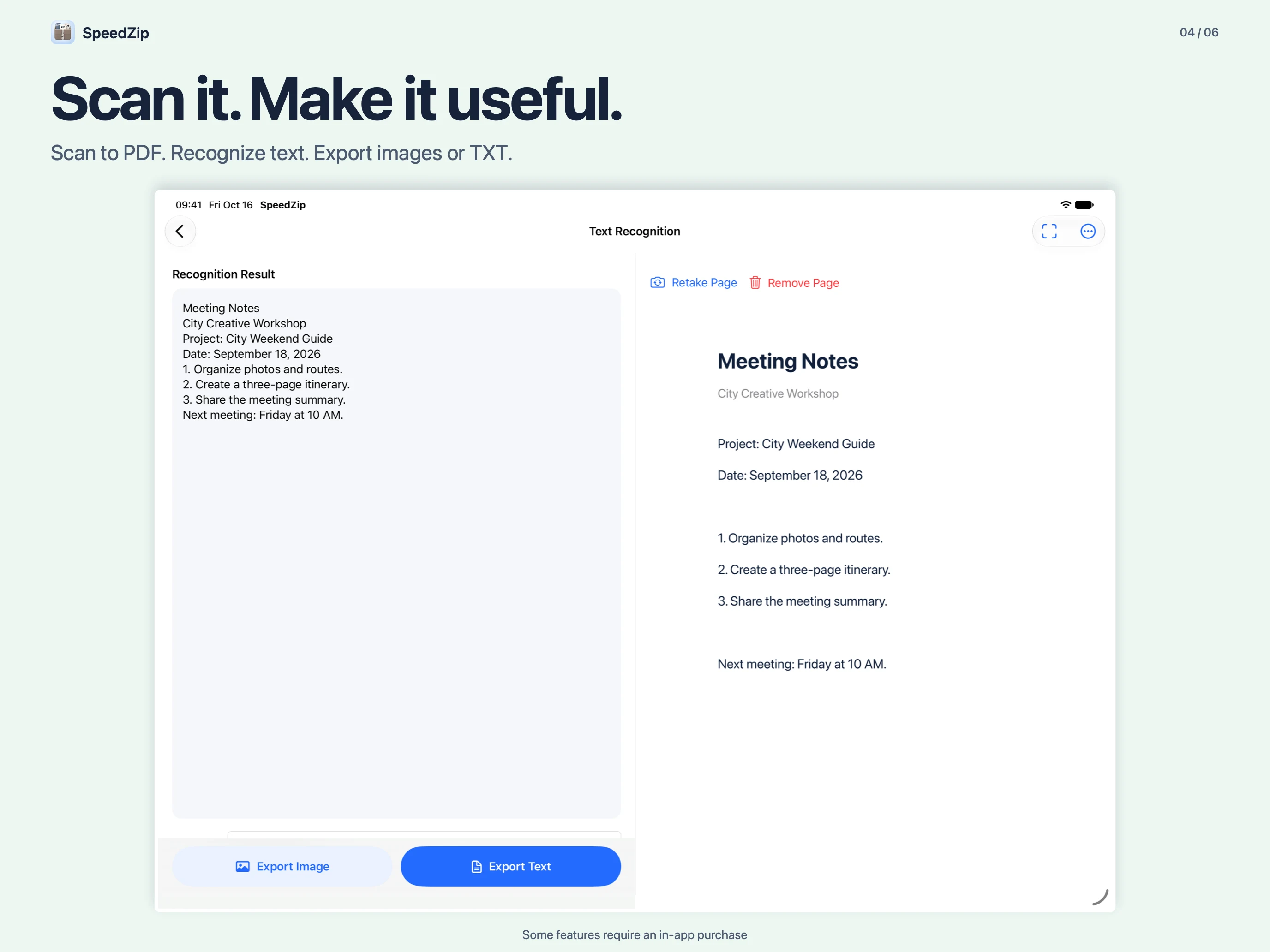
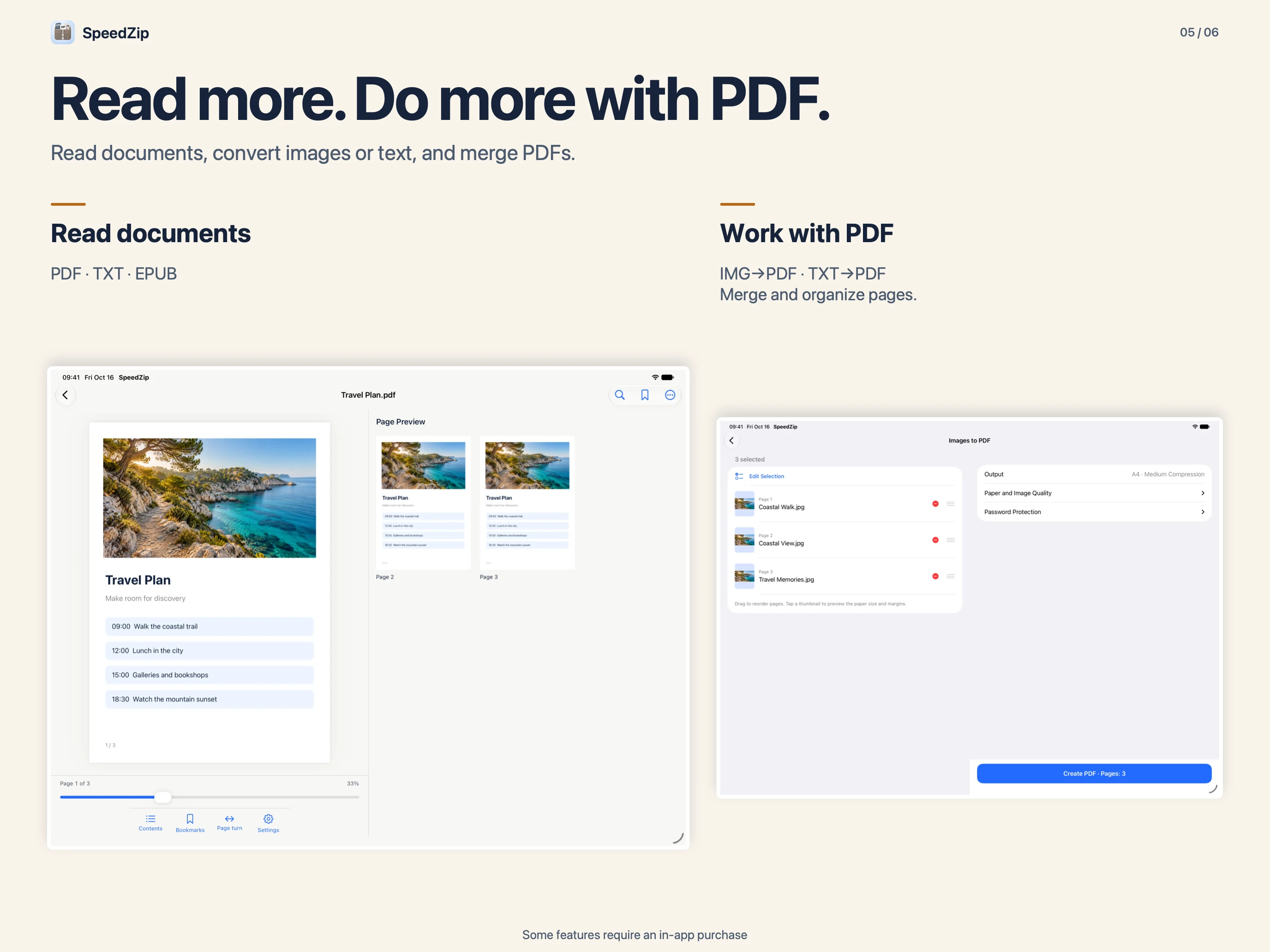
Scan multiple pages into a PDF. Merge or compress PDFs, convert images or TXT to PDF, and export PDF pages as images or existing text as TXT. OCR recognizes English, Simplified and Traditional Chinese, Japanese and Korean.
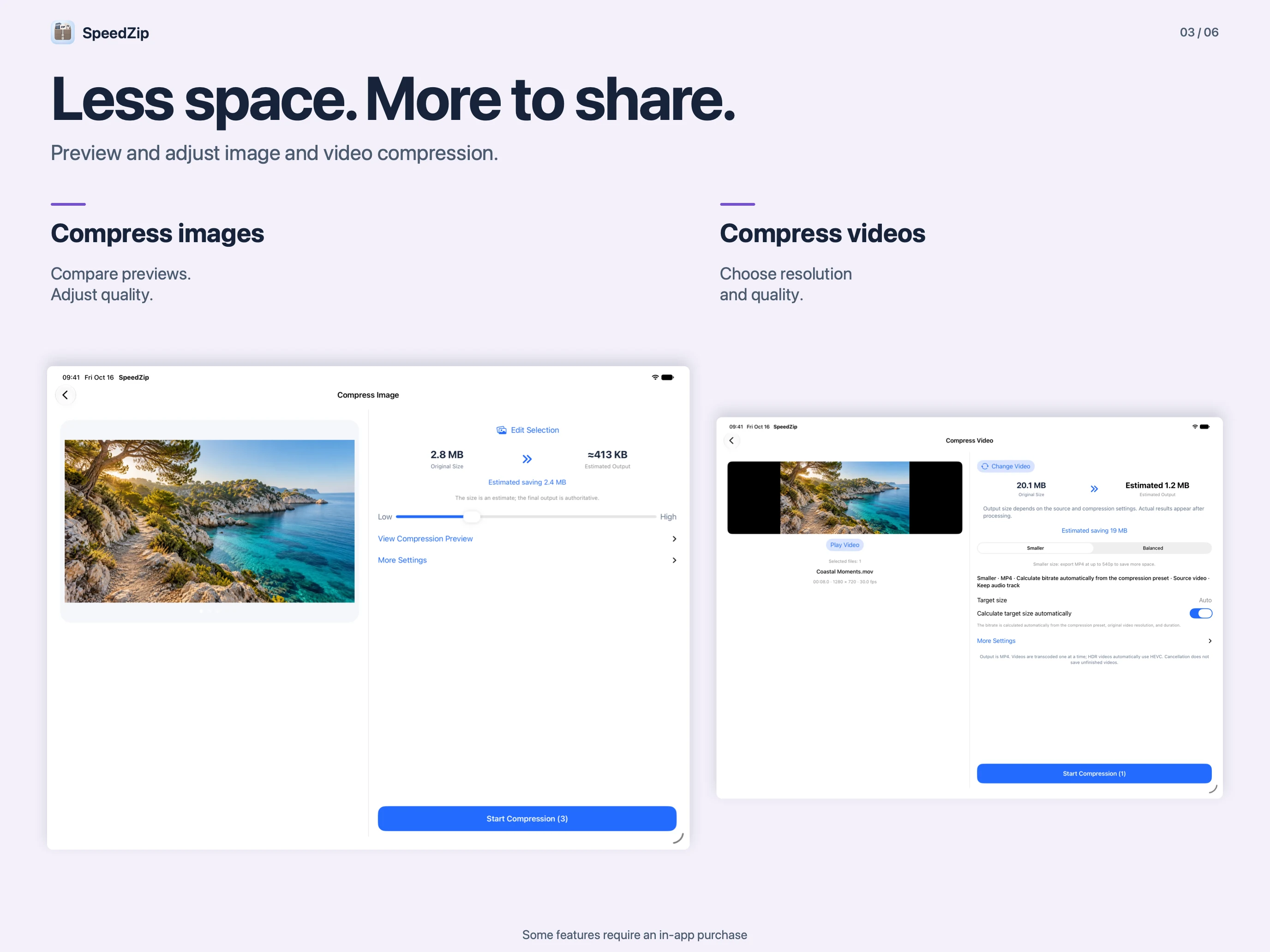
Compress images and videos while keeping the originals. Convert compatible videos to MP4 or MOV, trim clips, add watermarks, capture frames and extract audio.
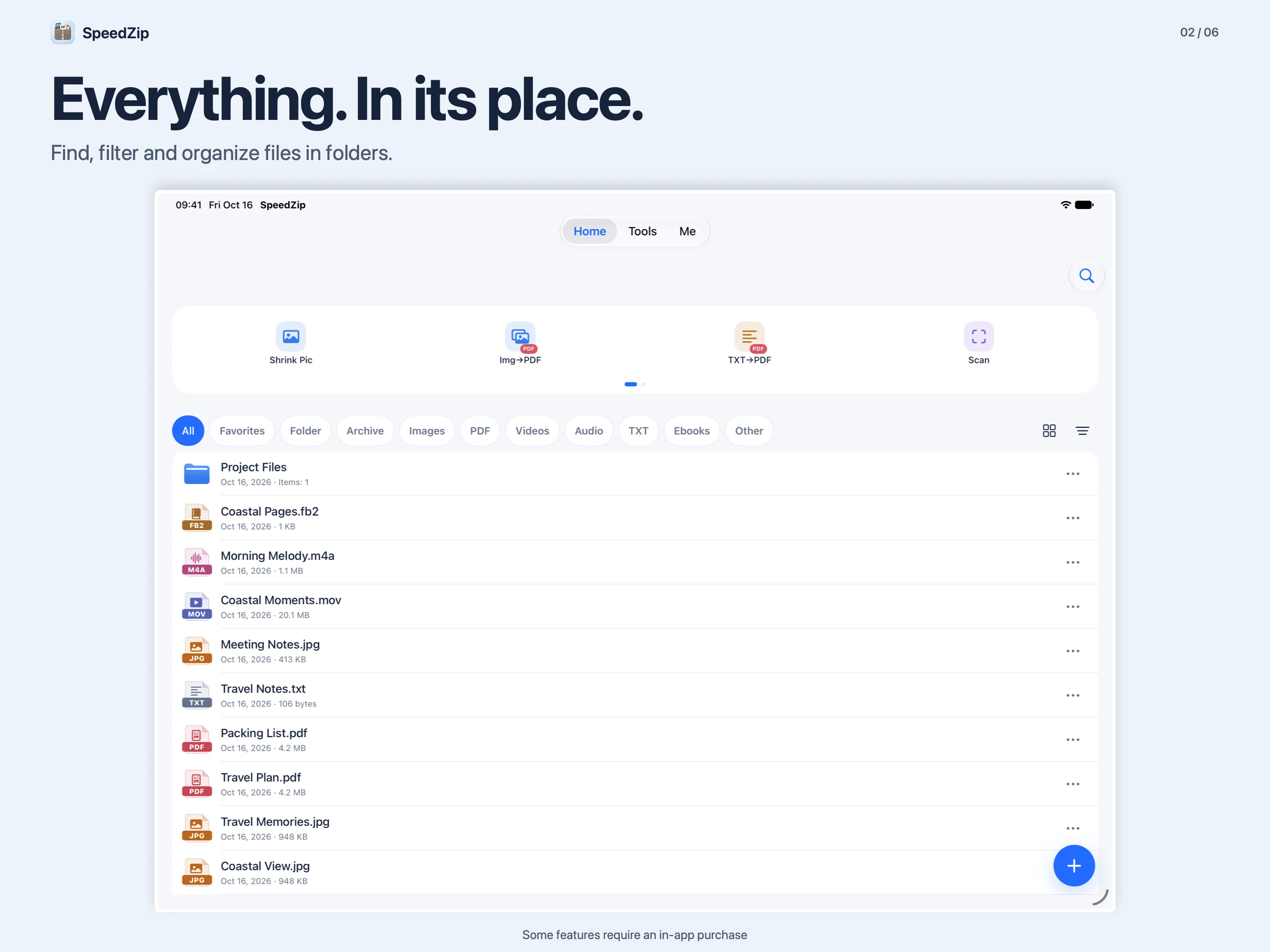
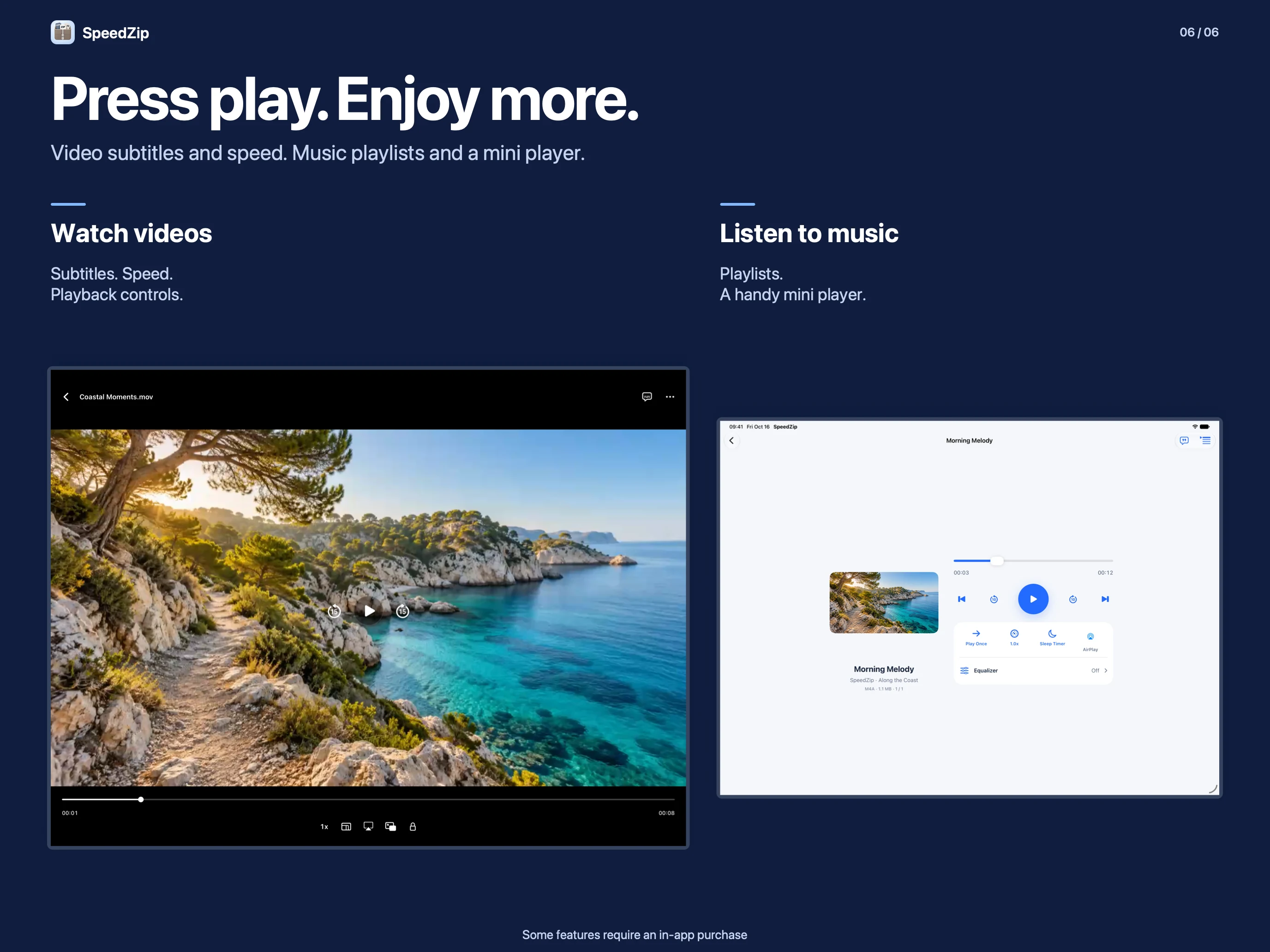
Search and organize files, restore items from the Recycle Bin, transfer files over the same Wi-Fi network and play local media. Browse the web and manage downloads with separate normal and private tabs. Private browsing does not save browsing history; files you download remain saved.
Basic ZIP creation, common archive extraction, file management, playback, document scanning and browsing are free. Password protection and split archives when creating archives, all non-ZIP creation formats, DZIP/ISO/XAR extraction, PDF tools, OCR, image compression, text editing and video/audio tools require Pro through an in-app purchase.
Monthly or yearly subscription, or a one-time purchase.
$0.99
per month
$6.99
per year
$9.99
one time
Discover more native apps for Mac, iPhone, and iPad.

Capture, annotate and share clear visual feedback on your Mac. SuperShot brings scrolling screenshots, image editing, text recognition and screen recording into one workspace for bug reports, tutorials and reference material.
Learn More
A little spin. A little joy. Play with a traditional bamboo toy, take a timed break, and try making your own WAH sound.
Learn More
Give your Mac desktop and saved screenshots a recognizable mark.
Learn MoreChoose your device and view the app on the App Store.